> ## Documentation Index
> Fetch the complete documentation index at: https://developers.criteo.com/llms.txt
> Use this file to discover all available pages before exploring further.
# Campaign Structure
## Overview
The Criteo campaigns are structured in the following way:
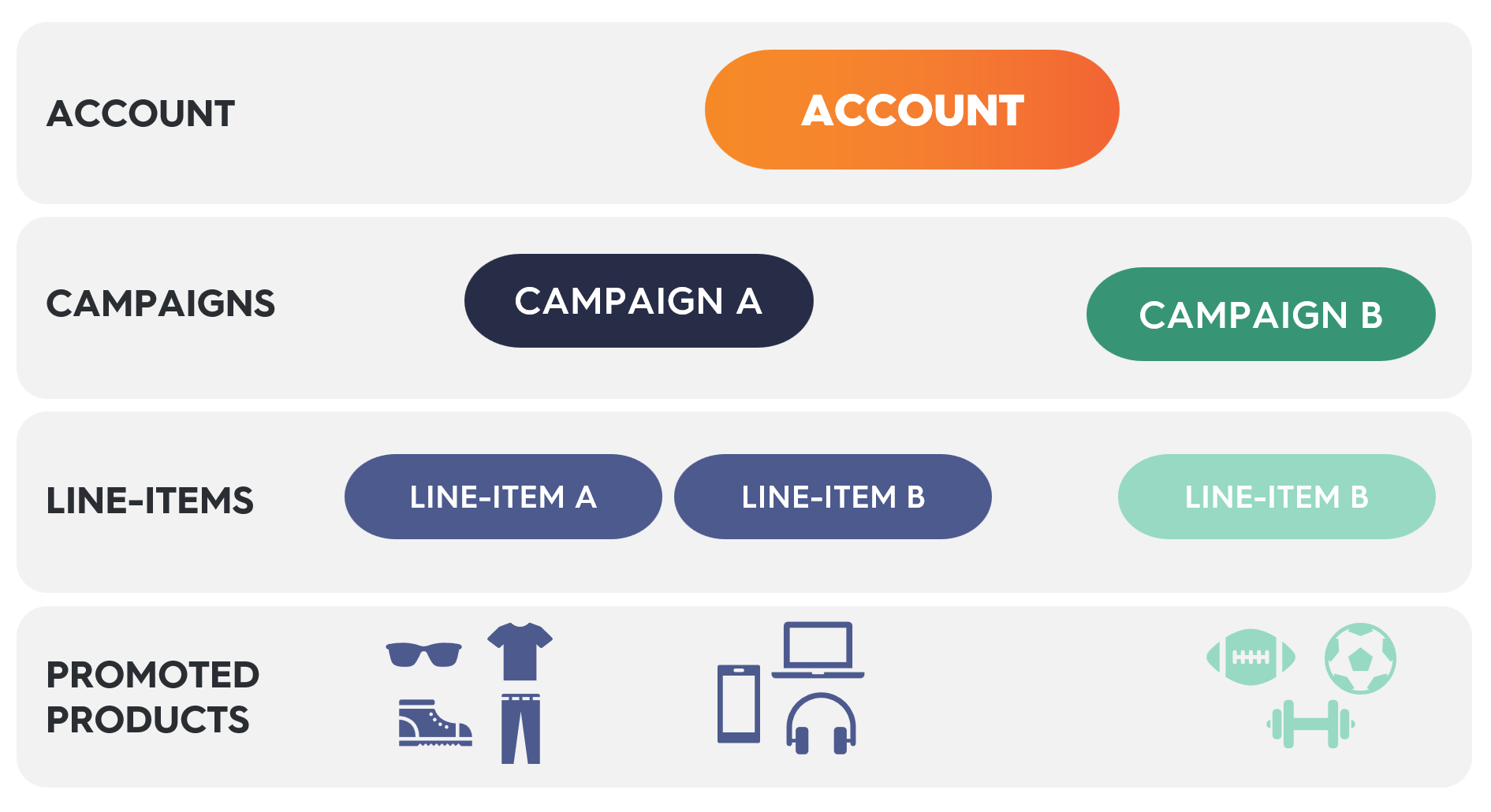 Each level nests within the one above it:
* **Account**: The top-level container for all campaigns,
* **Campaign**: A collection of line items, typically grouped by objective or time frame,
* **Line Item**: Defines budget, targeting, and schedule within a campaign,
* **Promoted Product**: The individual item(s) being advertised.
***
## Accounts
* An `account `represents a brand, ad agency, or marketplace seller. It is a business & billing entity that contains the `campaigns`.
Accounts are typically managed by Criteo. Please reach out to your account representative.
***
## Campaigns
* A `campaign` represents a marketing objective and contains `line items`.
* Campaigns may hold line items across multiple brands and retailers.
* Campaigns have optional budgeting and attribution window controls.
* Budgets may additionally be controlled at the line item level.
***
## Line Items
* A `line item` holds `promoted products` to advertise on any single retailer for all our campaign types.
* For **Onsite Sponsored Products campaigns**: Line items have bid settings, start & end dates, and optional budgeting & pacing controls.
* For **Preferred Deals campaigns**: Line items have start & end dates, required budget & pacing controls and optional caping controls.
* Budgets may additionally be controlled at the campaign level.
***
## Promoted Products
* Line items can and should feature multiple products. You do not need a new line item for each product you want to promote.
**Line items under the same campaign should not feature the same products**
Ensure your line items under the same campaign do NOT feature the same products. Line items with overlapping products under the same campaign will scale much slower and can prevent you from meeting your spending goals.
***
Each level nests within the one above it:
* **Account**: The top-level container for all campaigns,
* **Campaign**: A collection of line items, typically grouped by objective or time frame,
* **Line Item**: Defines budget, targeting, and schedule within a campaign,
* **Promoted Product**: The individual item(s) being advertised.
***
## Accounts
* An `account `represents a brand, ad agency, or marketplace seller. It is a business & billing entity that contains the `campaigns`.
Accounts are typically managed by Criteo. Please reach out to your account representative.
***
## Campaigns
* A `campaign` represents a marketing objective and contains `line items`.
* Campaigns may hold line items across multiple brands and retailers.
* Campaigns have optional budgeting and attribution window controls.
* Budgets may additionally be controlled at the line item level.
***
## Line Items
* A `line item` holds `promoted products` to advertise on any single retailer for all our campaign types.
* For **Onsite Sponsored Products campaigns**: Line items have bid settings, start & end dates, and optional budgeting & pacing controls.
* For **Preferred Deals campaigns**: Line items have start & end dates, required budget & pacing controls and optional caping controls.
* Budgets may additionally be controlled at the campaign level.
***
## Promoted Products
* Line items can and should feature multiple products. You do not need a new line item for each product you want to promote.
**Line items under the same campaign should not feature the same products**
Ensure your line items under the same campaign do NOT feature the same products. Line items with overlapping products under the same campaign will scale much slower and can prevent you from meeting your spending goals.
***
## What's next
* [Campaign, Line Item & Product Status](/retail-media/docs/campaign-lineitem-status)