> ## Documentation Index
> Fetch the complete documentation index at: https://developers.criteo.com/llms.txt
> Use this file to discover all available pages before exploring further.

# Create Your API Application

# Create your API application

Once you have [created your organization](/retail-media/docs/create-your-organization), you can access the `My Apps` page to begin creating your application. This page is also where you will manage your Criteo API applications.

To start creating your API application, click the `Create a New App` button in the top right corner of the page. This will initiate the application creation process.

***

## Step 1 - Create application

### App details

* Provide a name for your application, along with an optional description and app image.
  * **Note:** API applications cannot be deleted. Once this step is completed, your application will appear in the "My Apps" dashboard.

### Authentication method

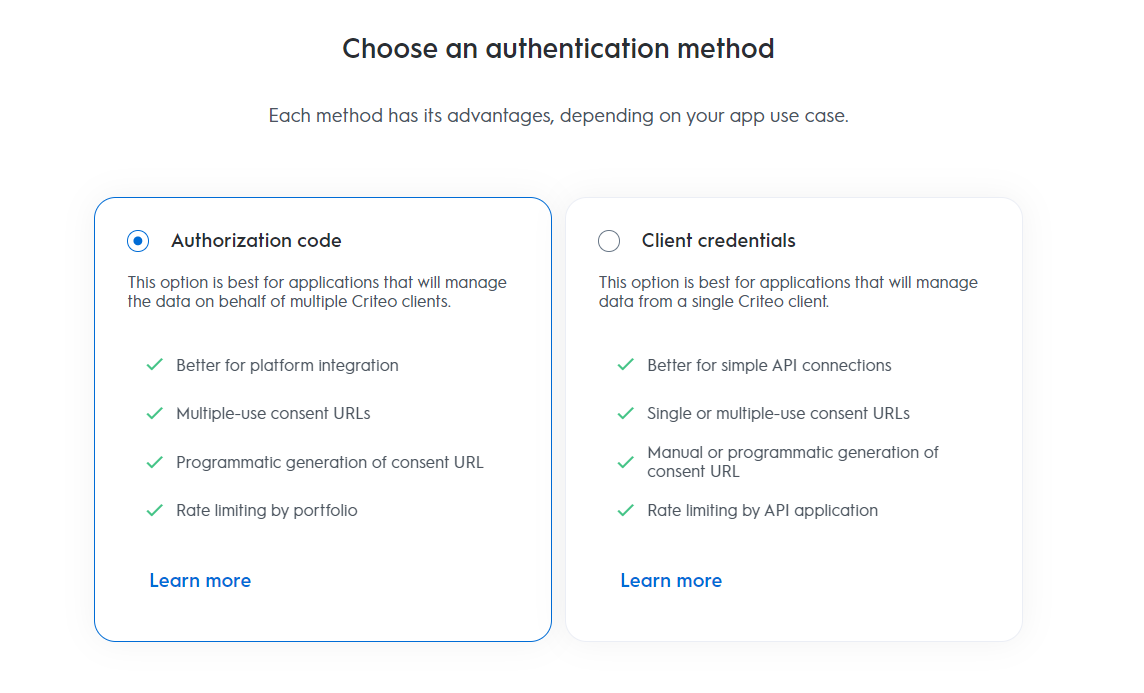
* Criteo’s API supports two OAuth authentication methods: [Client Credentials](/retail-media/docs/oauth-app-client-credentials) and [Authorization Code](/retail-media/docs/oauth-app-authorization-code). Each method has its own advantages, so before proceeding, we strongly recommend reviewing which authentication method is best suited to your application’s needs.

<Frame>
  <img src="https://mintcdn.com/criteo-e1682996/JUXl4tN6qP1utg1F/images/retail-media/v2024.10/docs/2ce3350-auth_methods2.png?fit=max&auto=format&n=JUXl4tN6qP1utg1F&q=85&s=c3c9ff4fadc5a31a16461e588947f94a" alt="" width="1144" height="693" data-path="images/retail-media/v2024.10/docs/2ce3350-auth_methods2.png" />
</Frame>

<Info>
  **Trying to decide which OAuth method is right for you?**

  If you're unsure which authentication method to use, take a look at our [OAuth App Implementation](/retail-media/docs/oauth-app-implementation) guide for an overview of each authentication method.
</Info>

***

## Step 2 - App activation

Once you've selected the appropriate authentication method, proceed to choose the service you’ll be using.

### Services

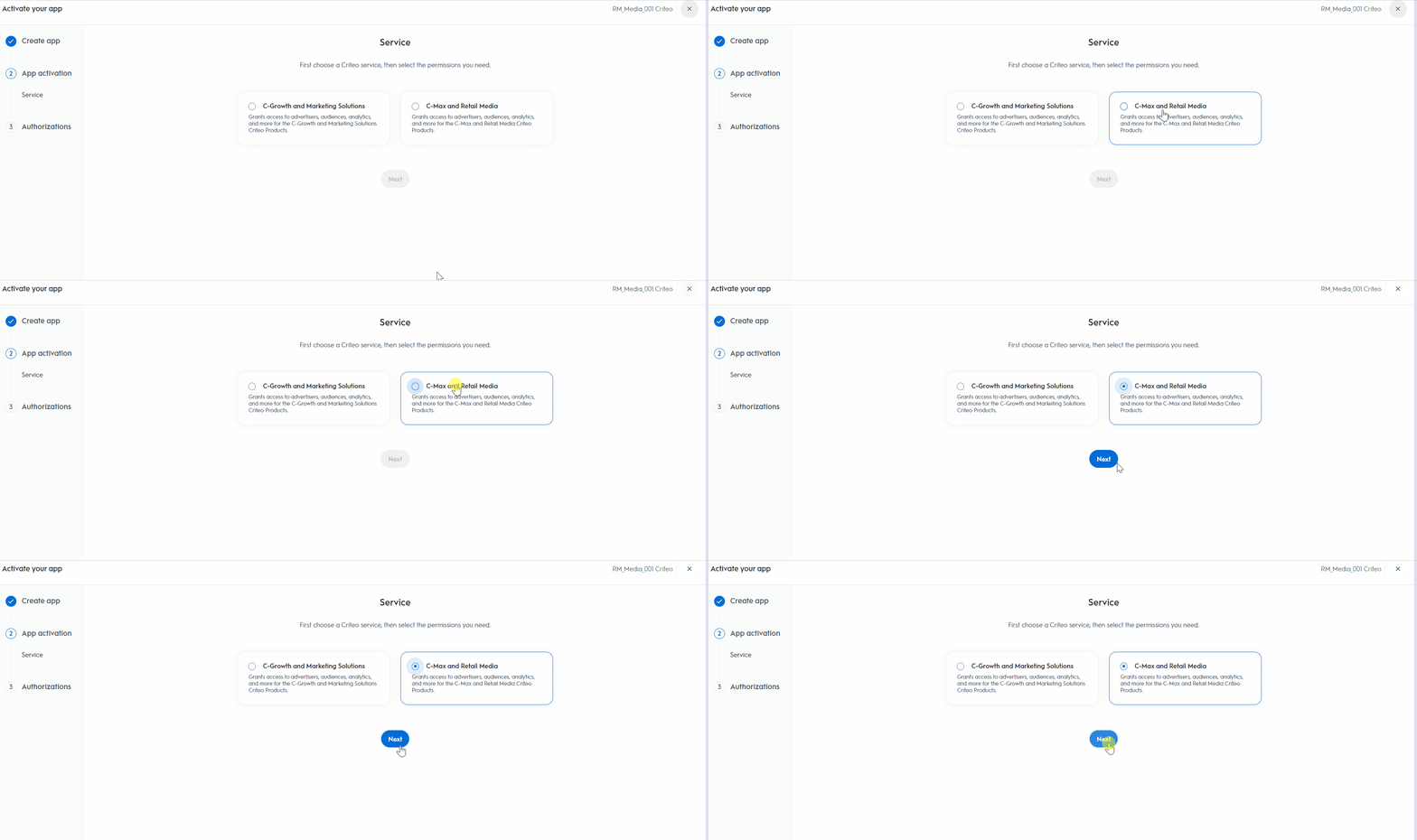
* Choose the Criteo service your API application will interact with:

  * **C-Growth** for marketing solutions,
  * **C-Max** for retail media.

<Frame>
  <img src="https://mintcdn.com/criteo-e1682996/JUXl4tN6qP1utg1F/images/retail-media/v2024.10/docs/6c1fa6d-portal-_step3_1.gif?s=1c8d986ff358d8e5a749a6945ea42821" alt="" width="1896" height="750" data-path="images/retail-media/v2024.10/docs/6c1fa6d-portal-_step3_1.gif" />
</Frame>

***

## Step 3 - Authorizations

### Domains

1. Choose the domains that define the permission levels your application will need. These domains determine which endpoints your application can access.

2. After selecting the appropriate domains, click `Activate App`.

<Warning>
  Once activated, you won’t be able to change the name, description, image, or app scope.
</Warning>

### Retail Media Domains

<table><thead><tr><th><p>Analytics</p></th><th><p>Audiences</p></th><th><p>Campaigns</p></th></tr></thead><tbody><tr><td><ul><li><strong>No access</strong>\_ - Your application will not have access to any retail media analytics endpoints.</li><li><em><strong>Read</strong></em> -  Your application will have access to retrieve reporting data using the retail media analytics endpoints.</li></ul></td><td><ul><li><strong>No access</strong>\_ - Your application will not have access to any retail media audience endpoints.</li><li><strong>Read</strong>\_- Your application will be able to retrieve audiences and make calls to <code class="rdmd-code lang- theme-undefined" data-lang="">GET</code> endpoints only.</li><li><em><strong>Manage</strong></em> - Your application will have full access to all audience endpoints, including both <code class="rdmd-code lang- theme-undefined" data-lang="">GET</code> and <code class="rdmd-code lang- theme-undefined" data-lang="">POST</code> endpoints.</li></ul></td><td><ul><li><p><em><strong>No access</strong></em> - Your application will not have access to any retail media campaign management endpoints. This includes all features for managing campaigns, line items, balances, catalogs, and creatives.</p></li><li><p><em><strong>Read</strong></em> - Your application can only retrieve campaign management details. This includes access to <code class="rdmd-code lang- theme-undefined" data-lang="">GET</code> endpoints only.</p></li><li><p><em><strong>Manage</strong></em> - Your application will have full access to all campaign management endpoints, including both <code class="rdmd-code lang- theme-undefined" data-lang="">GET</code> and <code class="rdmd-code lang- theme-undefined" data-lang="">POST</code> endpoints.</p></li></ul></td></tr></tbody></table>

Once you activate your application, you will be redirected to your application details page to complete the final steps of your application configuration.

***

**What’s Next**

* [Get Your Credentials](/retail-media/v2024.10/docs/get-credentials)
* [API Authorization](/retail-media/v2024.10/docs/api-authorization)
* [OAuth App Implementation](/retail-media/v2024.10/docs/oauth-app-implementation)
* [Developer Accounts](/retail-media/v2024.10/docs/developer-accounts-organizations-apps)