> ## Documentation Index
> Fetch the complete documentation index at: https://developers.criteo.com/llms.txt
> Use this file to discover all available pages before exploring further.

# Managing my App

This section explains how to edit your app information before publication.

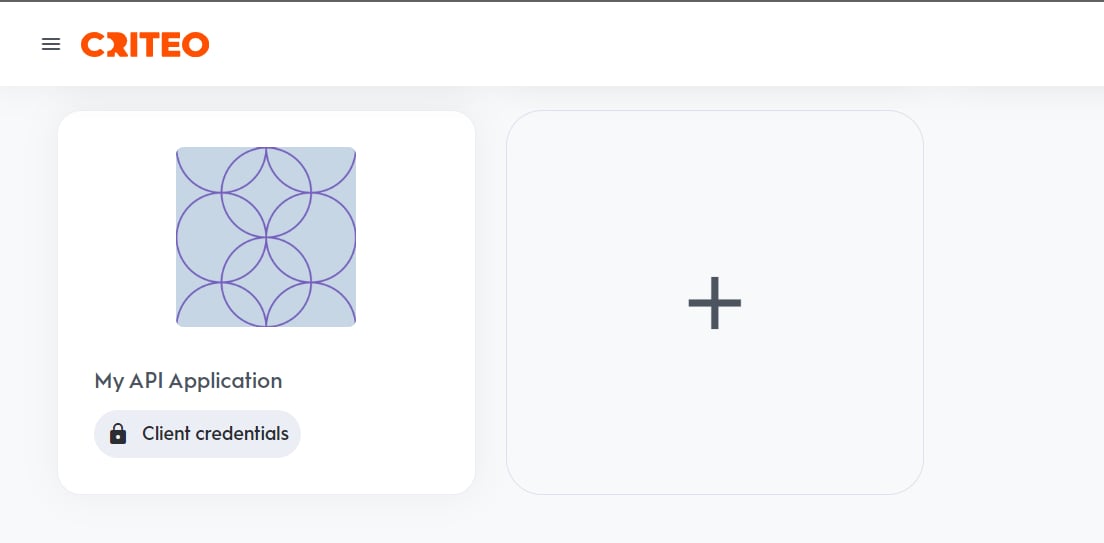
1. Select an application you have previously created from your `My Apps` space.
<Frame>
  <img src="https://mintcdn.com/criteo-e1682996/JUXl4tN6qP1utg1F/images/retail-media/v2024.10/docs/423bba6-myapp1.png?fit=max&auto=format&n=JUXl4tN6qP1utg1F&q=85&s=75597c40692193ebf253423aa2fb7dc2" alt="" width="1104" height="543" data-path="images/retail-media/v2024.10/docs/423bba6-myapp1.png" />
</Frame>

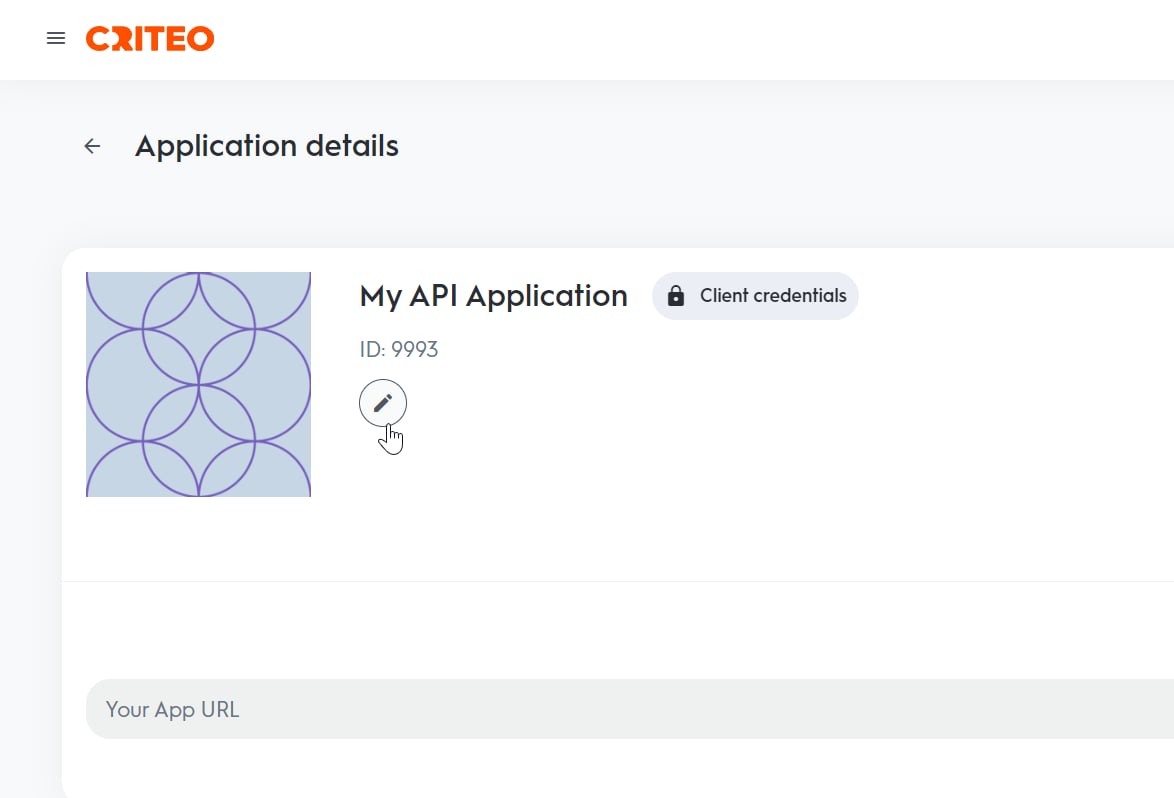
2. Click "Edit" on the right side of the app name.
<Frame>
  <img src="https://mintcdn.com/criteo-e1682996/JUXl4tN6qP1utg1F/images/retail-media/v2024.10/docs/6f9205b-myapp2.png?fit=max&auto=format&n=JUXl4tN6qP1utg1F&q=85&s=0f7f2dc0c4a5ae3f11cb3458c8944303" alt="" width="1174" height="798" data-path="images/retail-media/v2024.10/docs/6f9205b-myapp2.png" />
</Frame>

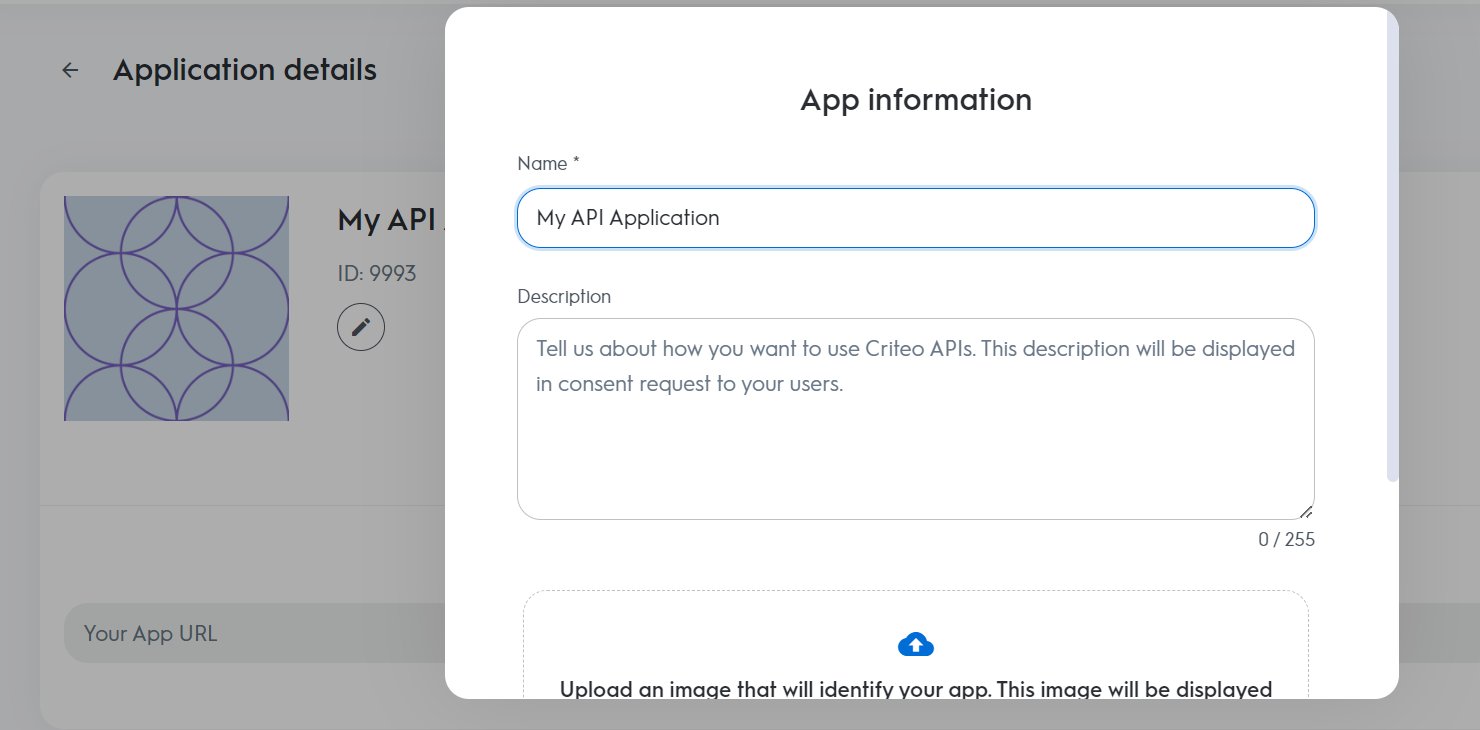
3. You can update the app name, description, or image. Note that these changes are only possible before the app is published.
<Frame>
  <img src="https://mintcdn.com/criteo-e1682996/JUXl4tN6qP1utg1F/images/retail-media/v2024.10/docs/de51863-app3.png?fit=max&auto=format&n=JUXl4tN6qP1utg1F&q=85&s=810bb8eadb13a72eefc98ccd2e003178" alt="" width="1480" height="730" data-path="images/retail-media/v2024.10/docs/de51863-app3.png" />
</Frame>
