> ## Documentation Index
> Fetch the complete documentation index at: https://developers.criteo.com/llms.txt
> Use this file to discover all available pages before exploring further.
# Managing My Developer Account
If you need to update your account information, you can do so by logging into the Criteo API partner portal. This guide will walk you through the steps to edit your account details.
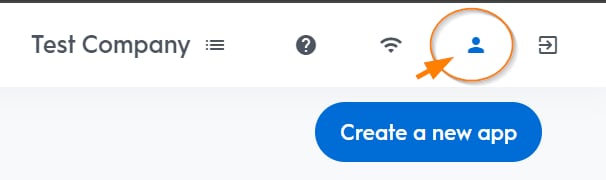
1. Click the user icon in the top right corner of the page to access your account information.
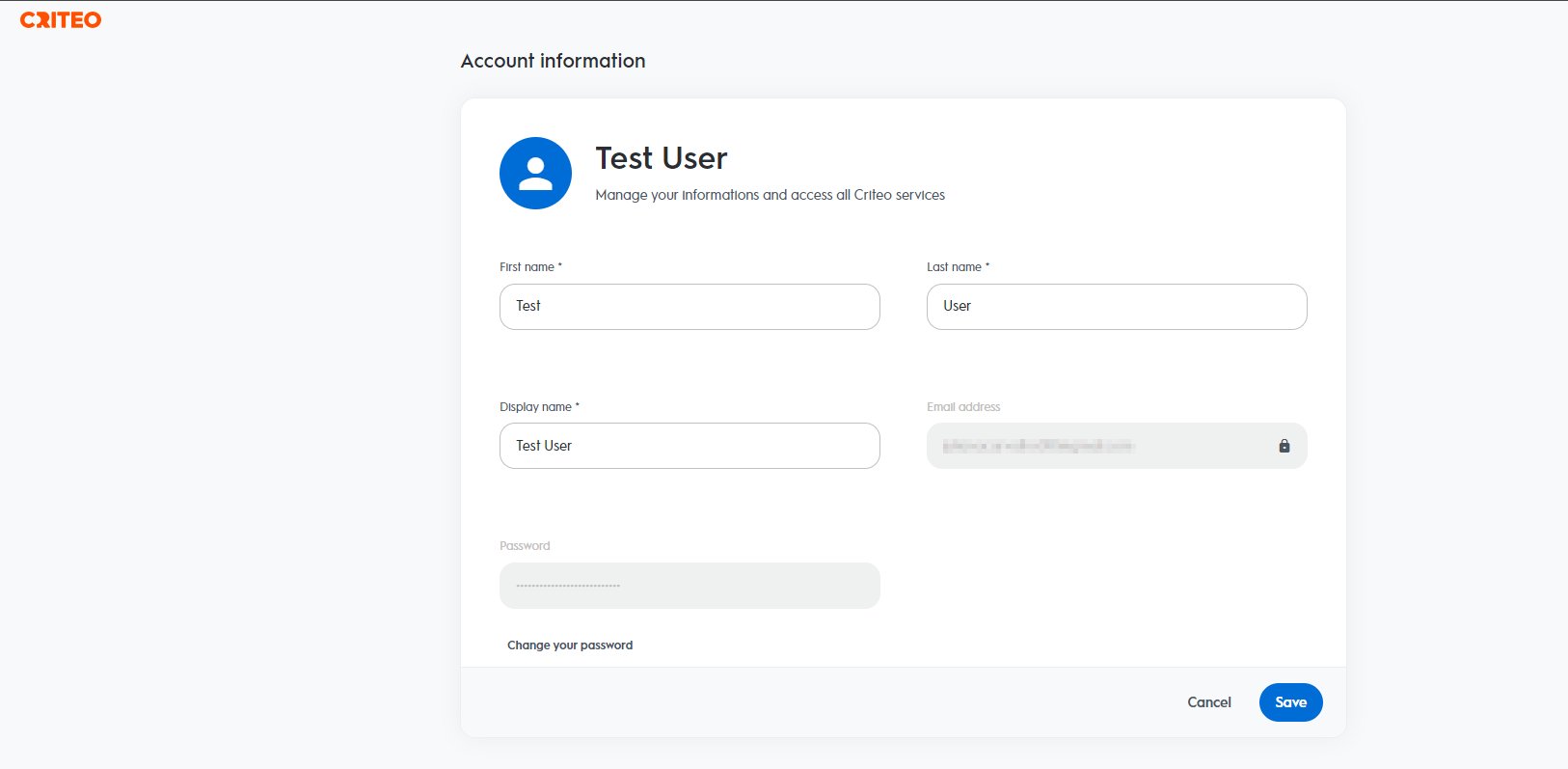
 2. You can edit your first name, last name, and display name on this page. If needed, you can also change your password.
To change your password, you will be required to provide your current password for verification.
2. You can edit your first name, last name, and display name on this page. If needed, you can also change your password.
To change your password, you will be required to provide your current password for verification.
 ***
## Request to delete an account
If you wish to delete your Criteo account because you no longer work with Criteo, please contact us by sending an email to [support@criteo.com](mailto:support@criteo.com).
***
**What’s Next**
* [Managing my Organization](/retail-media/v2024.10/docs/managing-my-organization)
* [Managing my App](/retail-media/v2024.10/docs/managing-my-app)
***
## Request to delete an account
If you wish to delete your Criteo account because you no longer work with Criteo, please contact us by sending an email to [support@criteo.com](mailto:support@criteo.com).
***
**What’s Next**
* [Managing my Organization](/retail-media/v2024.10/docs/managing-my-organization)
* [Managing my App](/retail-media/v2024.10/docs/managing-my-app)