> ## Documentation Index
> Fetch the complete documentation index at: https://developers.criteo.com/llms.txt
> Use this file to discover all available pages before exploring further.
# Campaigns
 ## Open Auction Campaigns
An Open Auction campaign operates on a first-price auction model using cost-per-click (CPC). Advertisers set their bid for each shopper interaction with their ad, competing in an inventory auction to secure ad placements.
💡 **Things to Know**
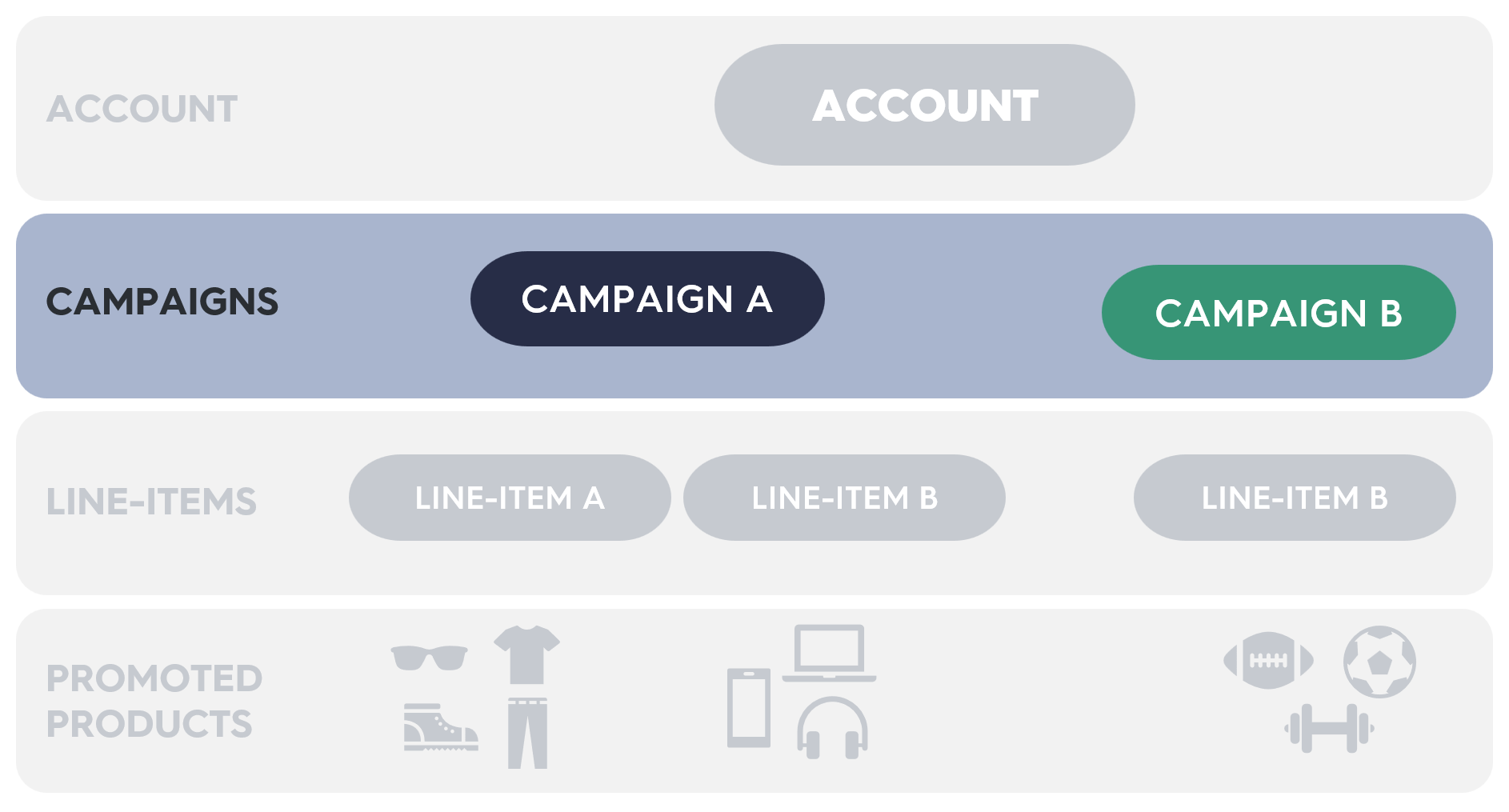
* A campaign represents a marketing objective and includes line items.
* Campaigns can contain line items across multiple brands and retailers.
* Campaigns offer optional controls for budgeting and attribution windows.
* Budgets can also be managed at the line item level.
* Various [reports](/retail-media/v2025.01/docs/demand-side-analytics-get-started) are available to track and measure campaign performance.
* Accounts are capped at 100,000 active campaigns.
* Currently, only Open Auction campaigns are supported via the API.
## Quick Start
1. **Select products** to promote from your account catalog.
2. **Create a campaign** to define your marketing objective.
3. **Create a line item** within the campaign.
4. **Add products to the line item** to specify what you are promoting.
5. **Assign the campaign** to an account balance to manage spending.
6. **Activate your line item** to start running the campaign!
## Open Auction Campaigns
An Open Auction campaign operates on a first-price auction model using cost-per-click (CPC). Advertisers set their bid for each shopper interaction with their ad, competing in an inventory auction to secure ad placements.
💡 **Things to Know**
* A campaign represents a marketing objective and includes line items.
* Campaigns can contain line items across multiple brands and retailers.
* Campaigns offer optional controls for budgeting and attribution windows.
* Budgets can also be managed at the line item level.
* Various [reports](/retail-media/v2025.01/docs/demand-side-analytics-get-started) are available to track and measure campaign performance.
* Accounts are capped at 100,000 active campaigns.
* Currently, only Open Auction campaigns are supported via the API.
## Quick Start
1. **Select products** to promote from your account catalog.
2. **Create a campaign** to define your marketing objective.
3. **Create a line item** within the campaign.
4. **Add products to the line item** to specify what you are promoting.
5. **Assign the campaign** to an account balance to manage spending.
6. **Activate your line item** to start running the campaign!