> ## Documentation Index
> Fetch the complete documentation index at: https://developers.criteo.com/llms.txt
> Use this file to discover all available pages before exploring further.
# Line Items
## Overview
Each campaign consists of one or more line items.
You can only run ads after creating a campaign and at least one line item.
A line item allows you to select the products and the retailer where you'd like to advertise. Each line item can include multiple featured products but is restricted to a single retailer.
To advertise across multiple retailers, you must create separate line items for each.
Several settings are available to help you manage your budget and optimize ad delivery effectively.
With the Criteo API, you can:
* Manage your retail media line items,
* Configure line items, including budgets, flight dates, bids (for Onsite Sponsored Products), and targeting options (for Preferred Deals),
* Retrieve products from your product catalog to advertise.
***
## Line Item Settings
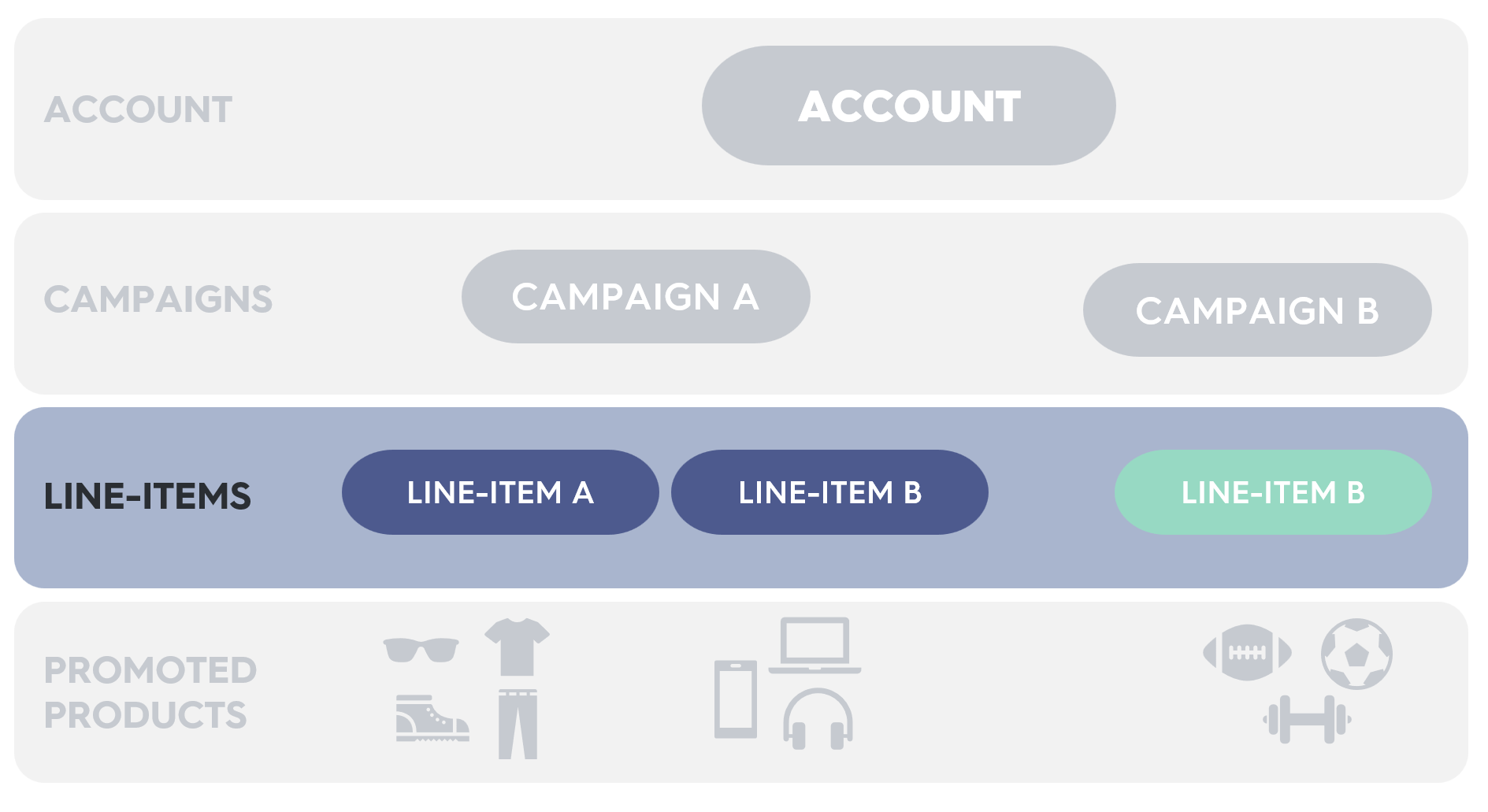 * A line item promotes products for ads on a specific retailer.
* Line items include settings such as start and end dates, optional budget controls, and associated retailers where ads are served.
* Campaigns can manage budgets at both the line item and campaign level.
* Several [reports](/retail-media/v2025.07/docs/demand-side-analytics-get-started) are available to measure line item performance.
* Campaigns are limited to 10,000 non-archived line items.
* Line items are automatically archived 90 days after their end date.
***
## Promoted Products
* A line item promotes products for ads on a specific retailer.
* Line items include settings such as start and end dates, optional budget controls, and associated retailers where ads are served.
* Campaigns can manage budgets at both the line item and campaign level.
* Several [reports](/retail-media/v2025.07/docs/demand-side-analytics-get-started) are available to measure line item performance.
* Campaigns are limited to 10,000 non-archived line items.
* Line items are automatically archived 90 days after their end date.
***
## Promoted Products
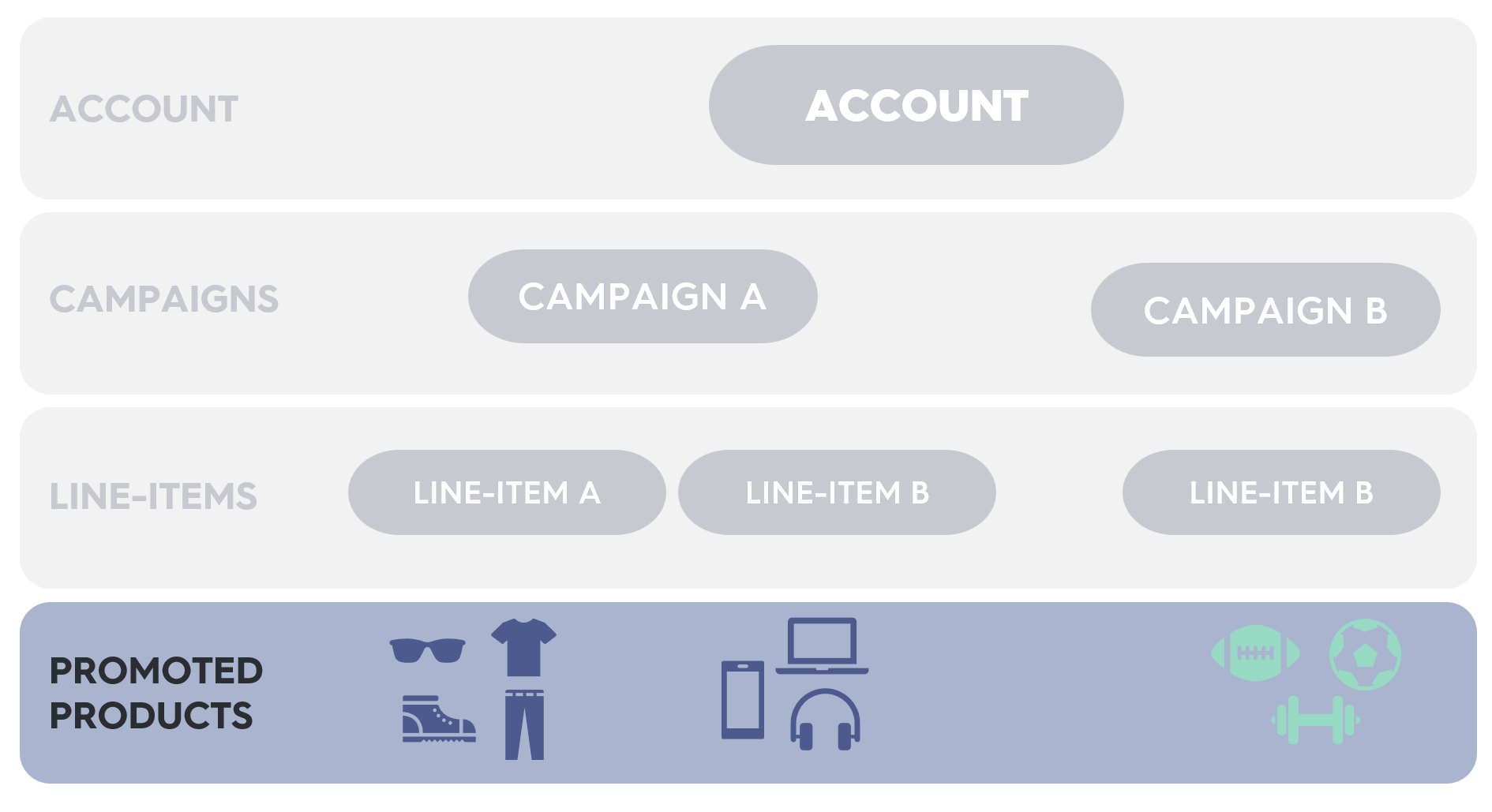 * A promoted product defines the product to be advertised on a line item.
* Use your account [catalog](/retail-media/v2026-preview/docs/catalogs) to identify eligible products for promotion.
* Each product can have a specific bid amount if desired.
* Line items can include up to 500 promoted products.
***
## Getting started
1. **Select products** from your account catalog to promote.
2. **Create a campaign** to define the marketing objective.
3. **Create a line item** within the campaign.
4. **Add products** to the line item to specify which products to promote.
5. **Assign the campaign** to an account balance for budget management.
6. **Activate your line item** to begin running ads!
**Access to Preferred Deals capabilities**
Preferred Deals are currently in beta and available only to our Retailer partners. To access Preferred Deals documentation, please contact your Criteo Account Manager.
The endpoints and functionalities covered in this **page refers to features available exclusively in Preview** for now, which doesn't mean that they are the only ones available for this domain/scope.
For more complete information about our API capabilities, check the Stable version in [Welcome to Criteo Retail Media API](/retail-media/docs/welcome-to-criteo)
***
* A promoted product defines the product to be advertised on a line item.
* Use your account [catalog](/retail-media/v2026-preview/docs/catalogs) to identify eligible products for promotion.
* Each product can have a specific bid amount if desired.
* Line items can include up to 500 promoted products.
***
## Getting started
1. **Select products** from your account catalog to promote.
2. **Create a campaign** to define the marketing objective.
3. **Create a line item** within the campaign.
4. **Add products** to the line item to specify which products to promote.
5. **Assign the campaign** to an account balance for budget management.
6. **Activate your line item** to begin running ads!
**Access to Preferred Deals capabilities**
Preferred Deals are currently in beta and available only to our Retailer partners. To access Preferred Deals documentation, please contact your Criteo Account Manager.
The endpoints and functionalities covered in this **page refers to features available exclusively in Preview** for now, which doesn't mean that they are the only ones available for this domain/scope.
For more complete information about our API capabilities, check the Stable version in [Welcome to Criteo Retail Media API](/retail-media/docs/welcome-to-criteo)
***
## What's next
* [Onsite Display Line Items](/retail-media/v2026-preview/docs/onsite-display-line-items)
* [Sponsored Products Line Items](/retail-media/v2026-preview/docs/onsite-sponsored-products)