> ## Documentation Index
> Fetch the complete documentation index at: https://developers.criteo.com/llms.txt
> Use this file to discover all available pages before exploring further.
# Branded Header
# Introduction
Branded Header is a horizontal Commerce Display unit that consists of a Branding Zone and a Product Zone with a carousel of up to 5 SKUs.
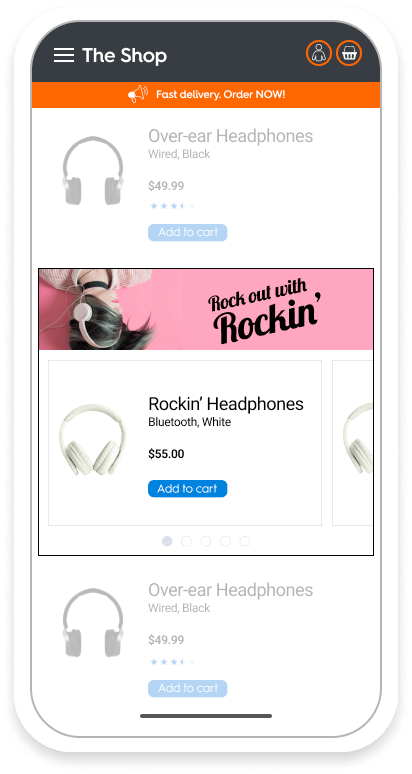 This format corresponds to the **mobile version**. For the sample API response and desktop version, please refer to [Flagship](/retailer-integration/docs/flagship) or [Showcase](/retailer-integration/docs/showcase).
***
# Specifications
## General
This format corresponds to the **mobile version**. For the sample API response and desktop version, please refer to [Flagship](/retailer-integration/docs/flagship) or [Showcase](/retailer-integration/docs/showcase).
***
# Specifications
## General
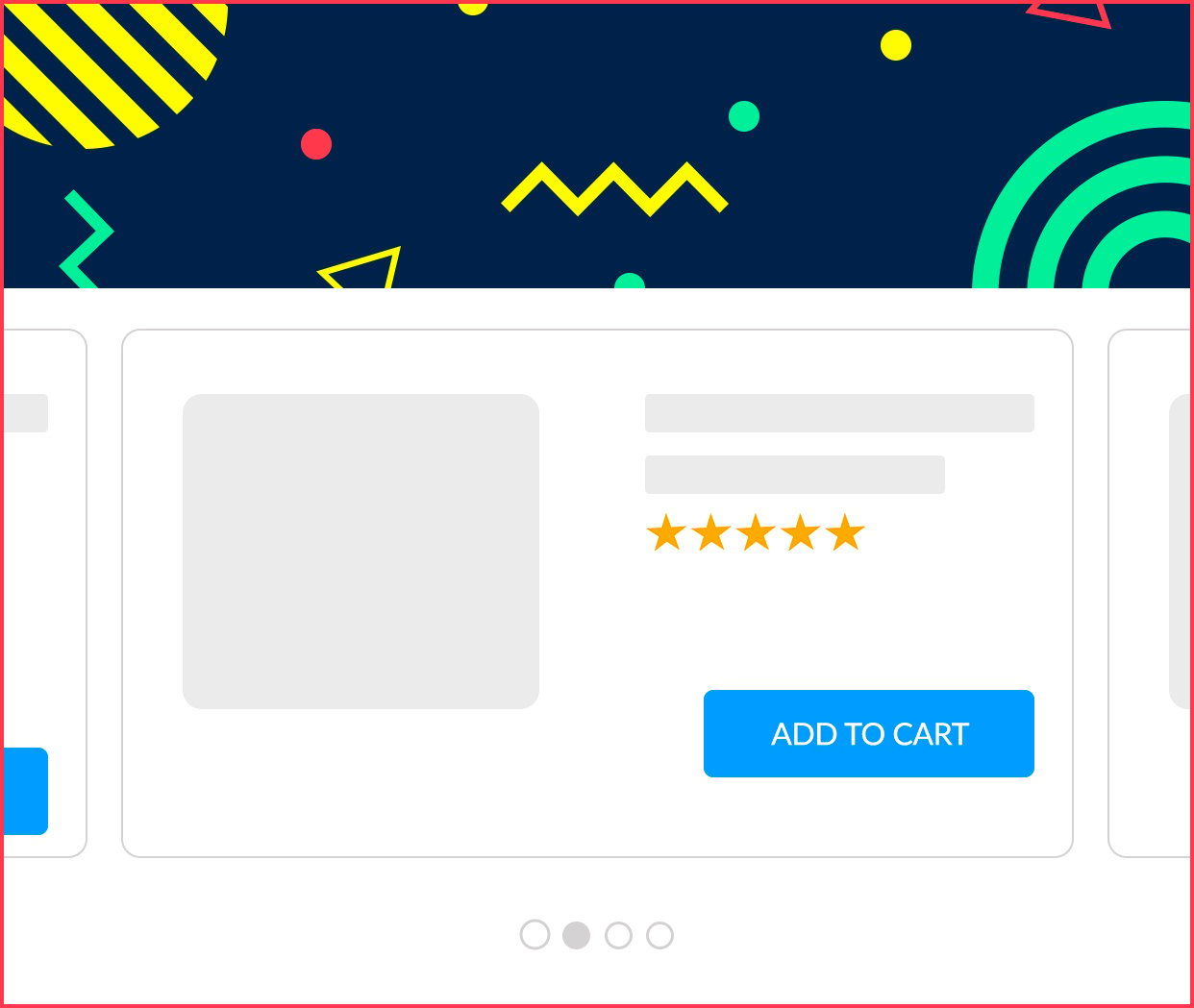 * Composed of two parts: the **branding zone** on top, and the **product zone** below the branding zone.
* The format must be able to host **between 1 and 5 different products.**
* The product zone is created according to the mockup.
* The user can change the product with a **horizontal slider**. On the bottom of the slider, there are **dots to indicate to the user the position in the slider**.
* There is **one dot per product.**
* The **product viewable dot should be darker** to indicate the position.
* If there is one product in the slider, the dot is not displayed.
* The creative width is equal to 100% of the parent div. It scales in proportion. When the width reduces, the height reduces as well. The background image is never cropped.
***
## Asset size
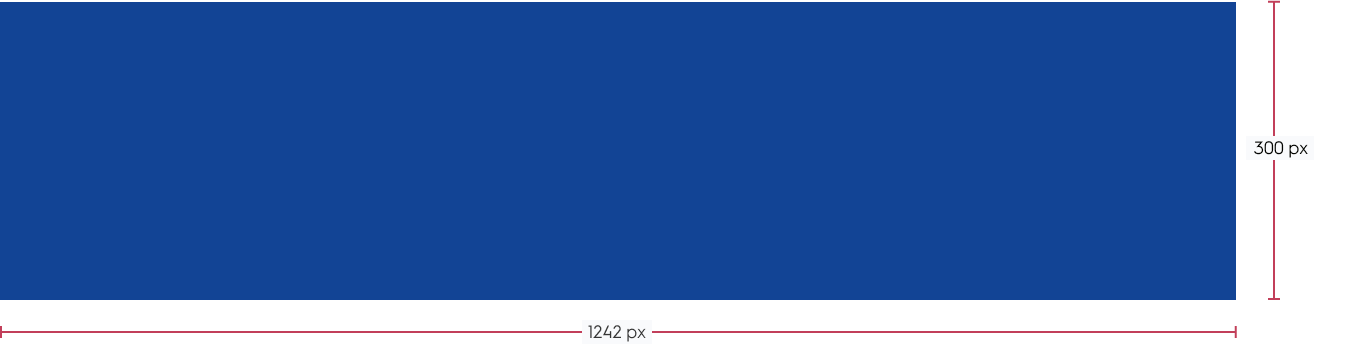
* Background image: `1242 x 300px`
* Composed of two parts: the **branding zone** on top, and the **product zone** below the branding zone.
* The format must be able to host **between 1 and 5 different products.**
* The product zone is created according to the mockup.
* The user can change the product with a **horizontal slider**. On the bottom of the slider, there are **dots to indicate to the user the position in the slider**.
* There is **one dot per product.**
* The **product viewable dot should be darker** to indicate the position.
* If there is one product in the slider, the dot is not displayed.
* The creative width is equal to 100% of the parent div. It scales in proportion. When the width reduces, the height reduces as well. The background image is never cropped.
***
## Asset size
* Background image: `1242 x 300px`
***
## Available options
The branding zone can be clickable and contain the redirection (a CTA button is usually added to the background image to indicate it to the user. The button is part of the image, it's not a coded element). The user can click anywhere to be redirected.
***
### Redirection
It can redirect to (only one is possible per format):
* At the banner's click, it redirects to the link defined on the platform. It's possible to have it on `_Self_` and `_Blank_` redirection options (not applicable for App).
***
### PDF
* At the banner's click, the PDF file opens like a redirection link. It's possible to have it on `_Self_` and `_Blank_` redirection options (not applicable for App).
***
### Other options
Multiple background images and legal text are not available for the mobile format.
***
### Technical details
* The **background image** position is fixed, and the image is never cut. It scales in proportion.
* The **background color** fills the creative part.
* The **border** is fixed to `2 px` and surrounds the creative and the product listing.
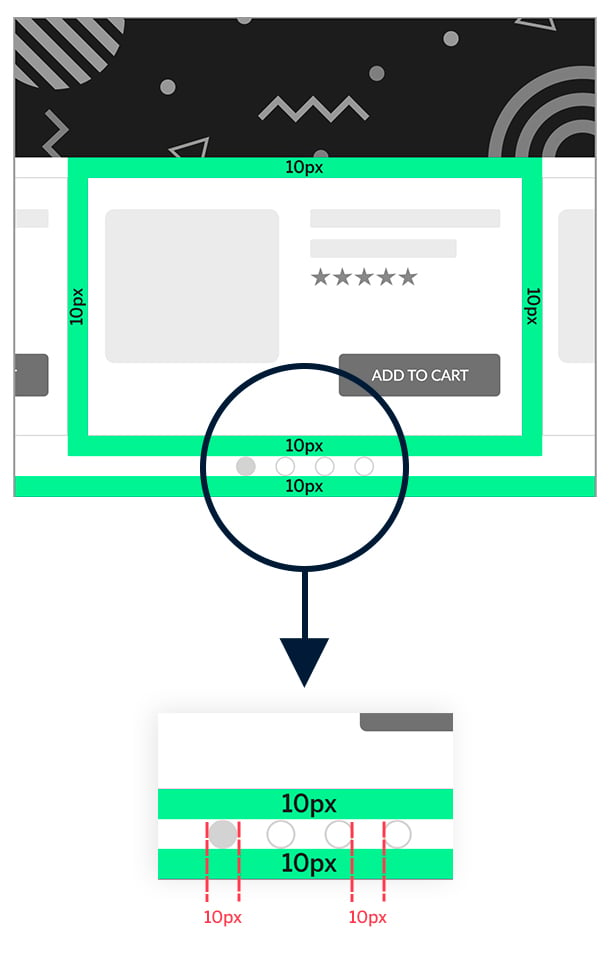
* There is `10 px` **padding** around each product listing.
* **Dots indicate the different products for a user to view**. The size of each dot: H=`10 px`, W=`10 px`, with `10 px` in between each dot and a `10 px` margin below. The dot corresponding to the product being viewed must be shaded.
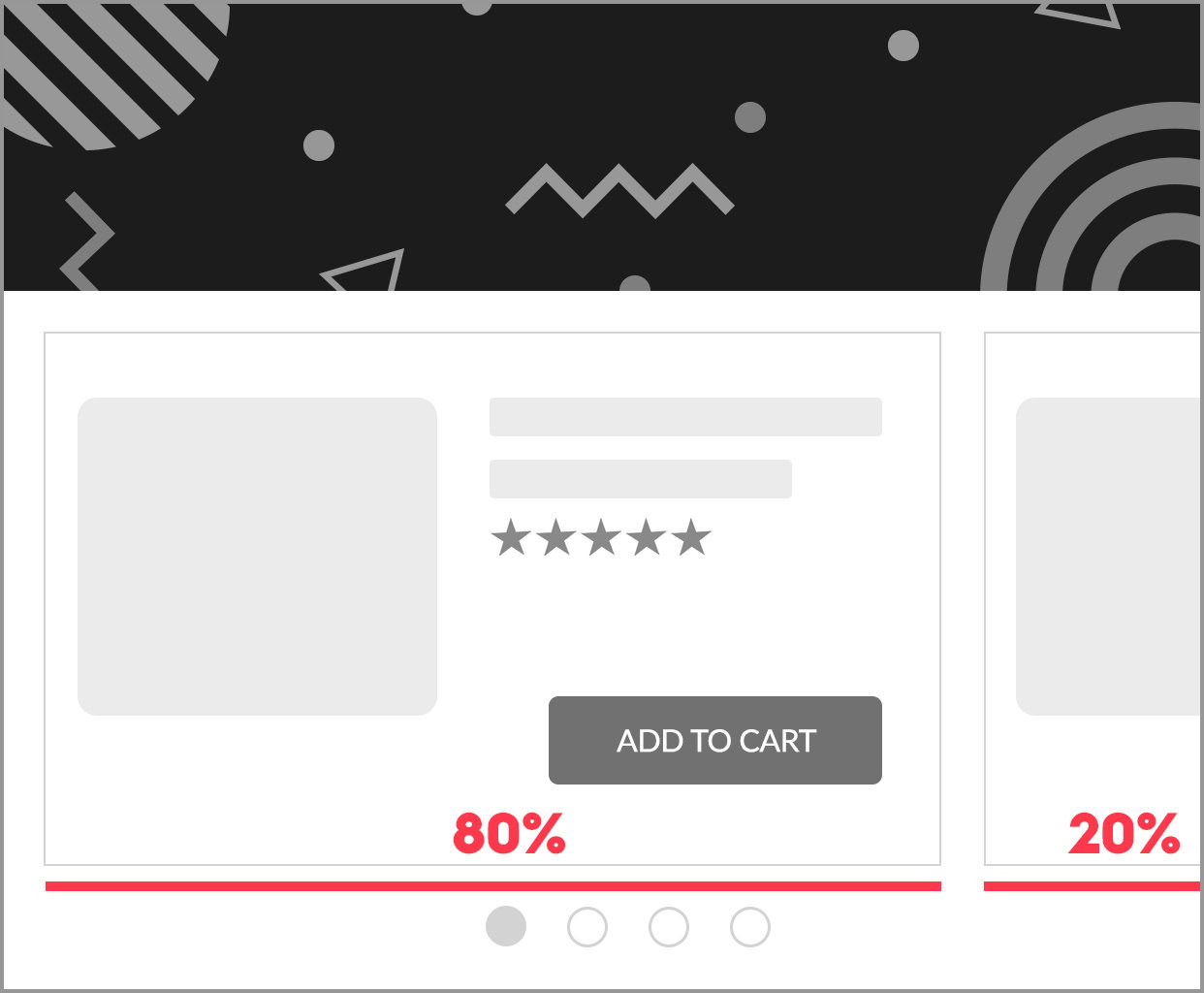
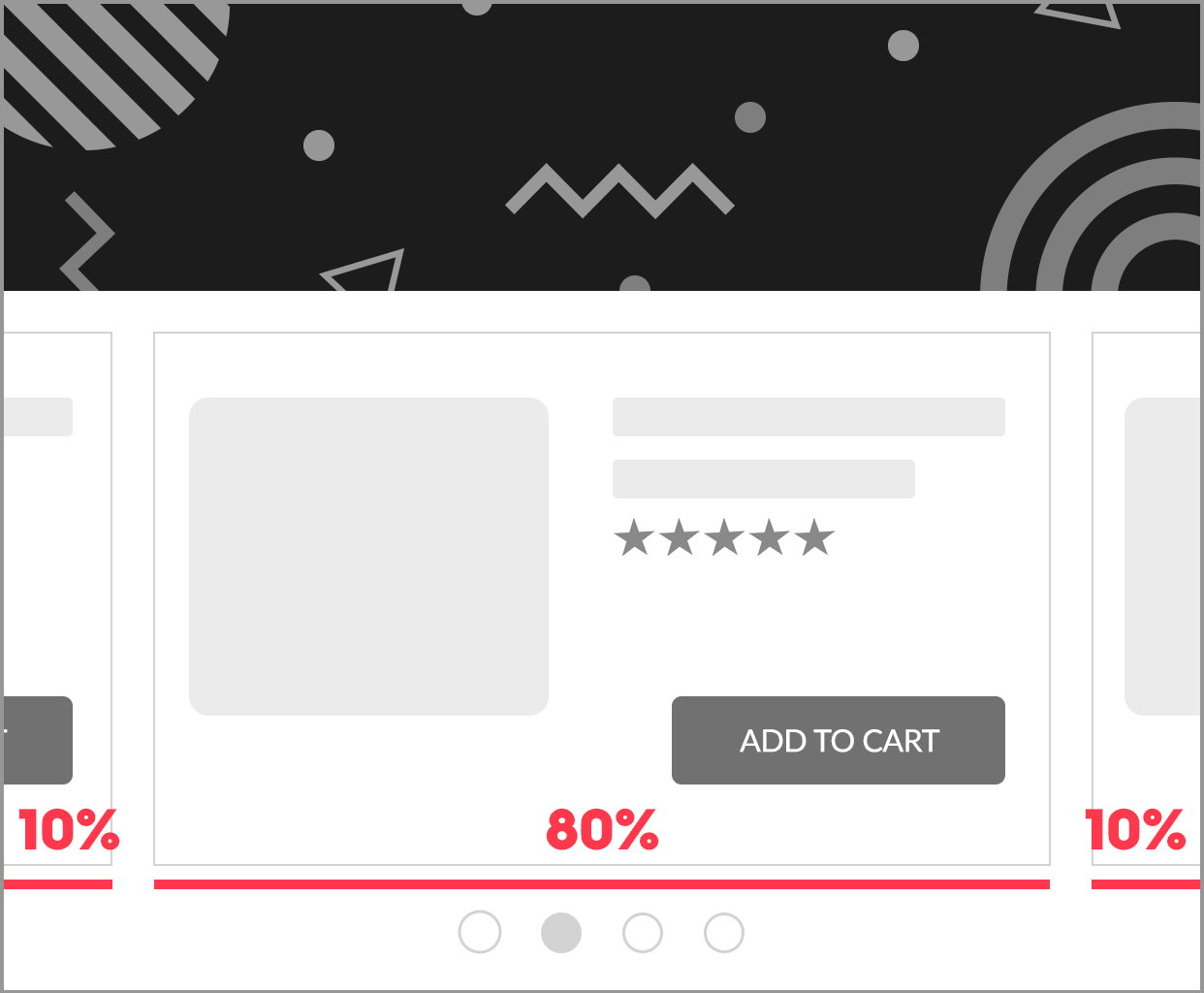
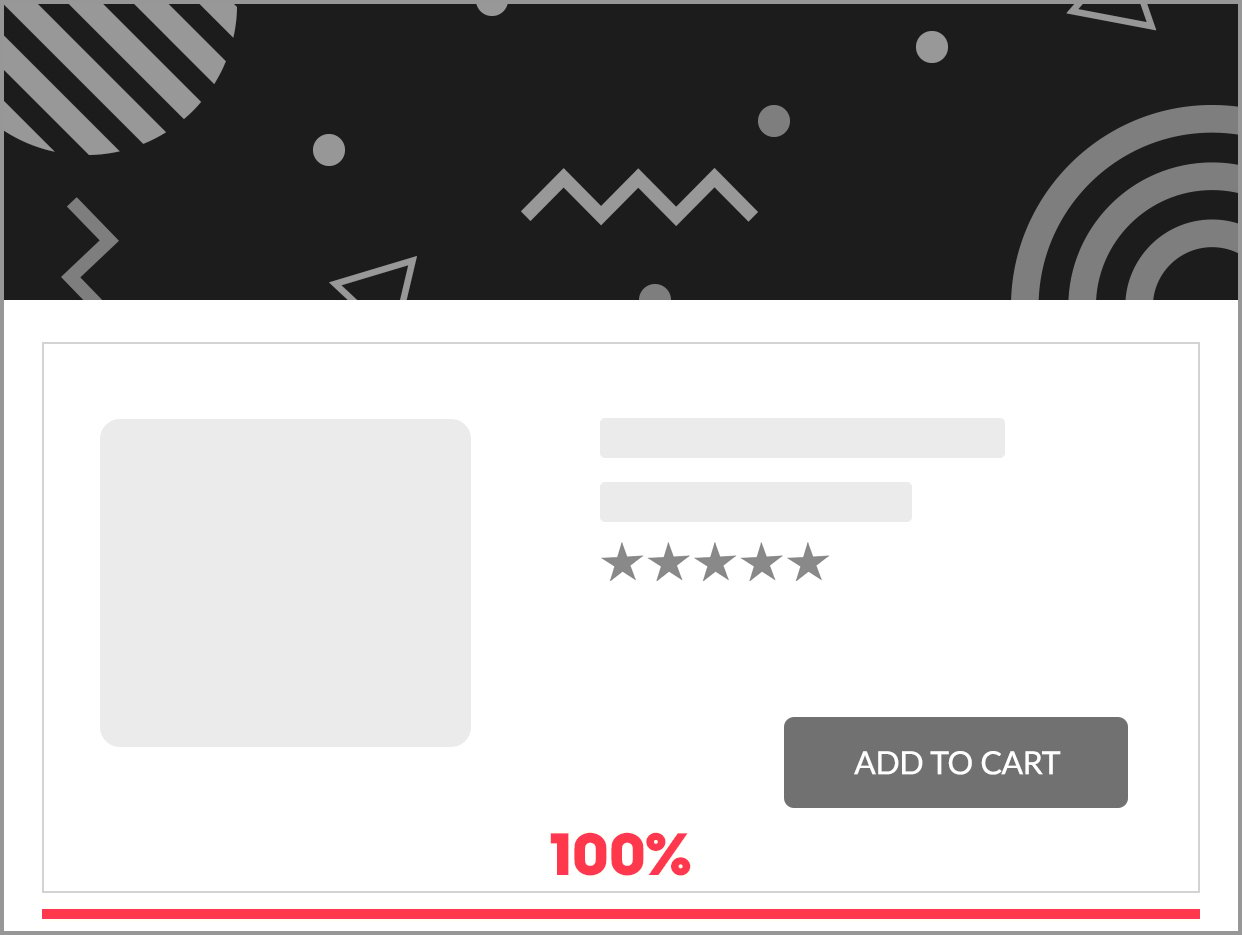
* When the user releases the slide, the main product displayed is **the one with the highest percentage of display**.
***
## Implementation example
***
## What's next
* [Flagship](/retailer-integration/docs/flagship)
* [Showcase](/retailer-integration/docs/showcase)
* [Interactive Header](/retailer-integration/docs/interactive-header)