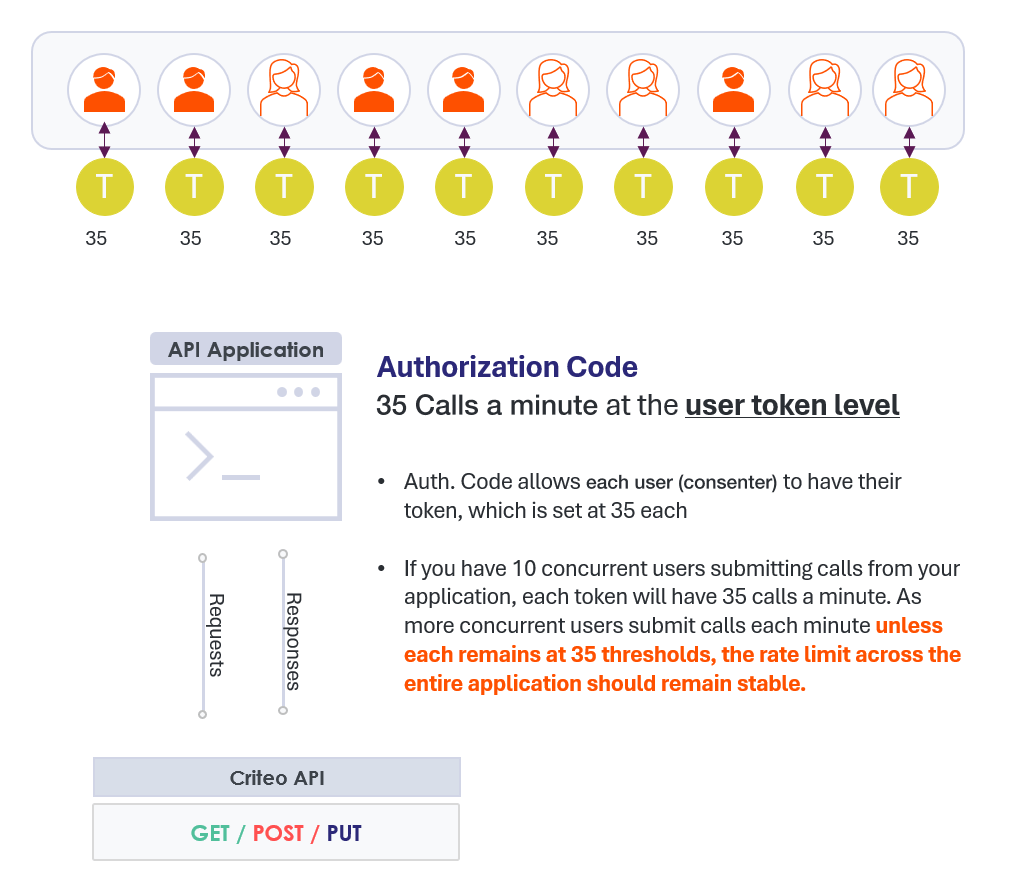
Rate Limits
Criteo provides different rate limits depending on the OAuth method used by your applicationRate limit exceptionsNote that some resource-sensitive endpoints may have specific rate limits applied at the endpoint level.
Response
If your application access token exceeds the given rate limit, you will receive a429 HTTP response and be blocked from executing the action. The following information will be provided in the header:
Rate Limit Best Practices
For the best experience, while using Criteo API, we strongly encourage implementing best practices methods to help you attain the best API experience. In the steps below, we will provide a few guidance’s to help you manage your application rate limits.Implement Backoff Mechanics
Exponential backoff mechanisms helps your application handle rate limit exceeded errors by introducing increasing intervals between retry attempts. This approach reduces the likelihood of overwhelming the API server with repeated requests, mitigating the risk of rate limit penalties. By gradually increasing the time between retries, exponential backoff allows the server to recover from transient failures or temporary congestion more effectively. In the event that your application runs into a429 error, we recommend your application waits one second before retrying the call again. When a second error is experienced, have your application wait two seconds before attempting a new retry. Setting your application to gradually repeat these exponential backoff mechanisms will allow the server to recover from an overload of calls.
Distribute load using access token best practices
Client Credentials
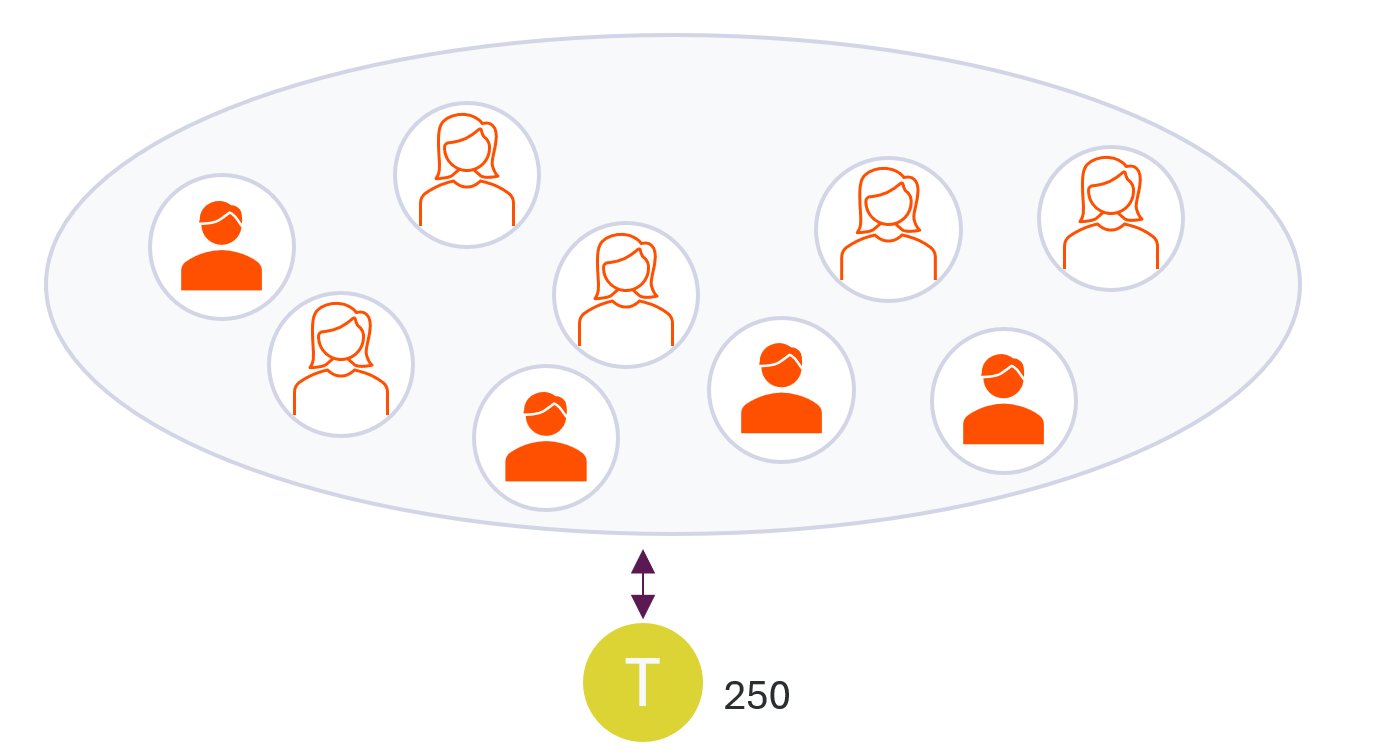
Managing a platform with multiple concurrent users using client credentials can be challenging when maintaining a stable rate limit. This is because client credentials rely on a single access token, which can severely constrain the number of calls your application can make as the number of concurrent users increases.
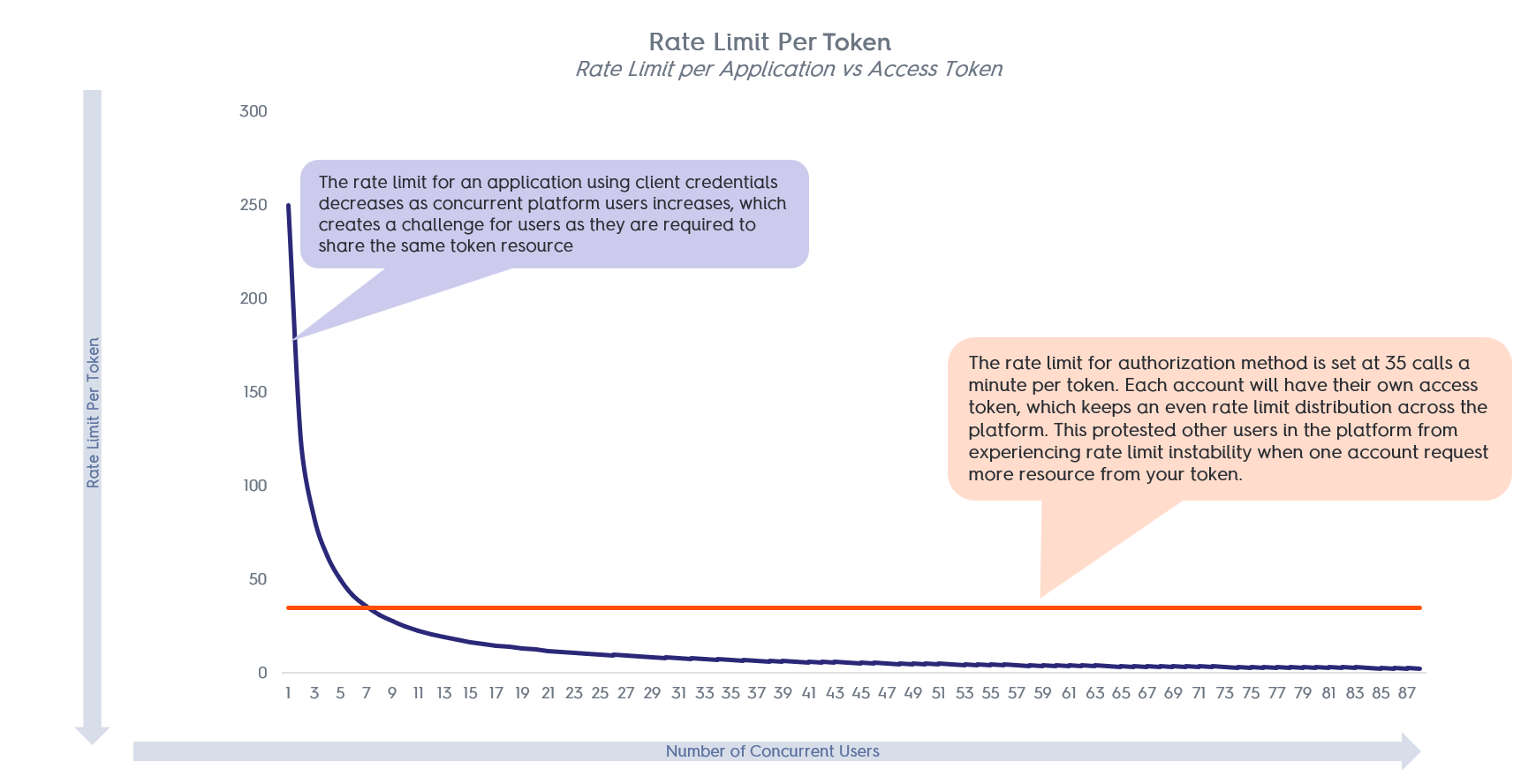
Authorization Code
Self-service platforms provide users with a convenient way to manage their own data. But when an application owner handles the data of multiple owners, it’s crucial to segregate data so that each user can only access their own information. To accomplish this, the platform must manage different access tokens. Criteo has developed an approach that gives each consenter their own token and rate limit. The number of calls from each access token (or consenter) is accounted for and compared to the rate limit separately.