

Line Items
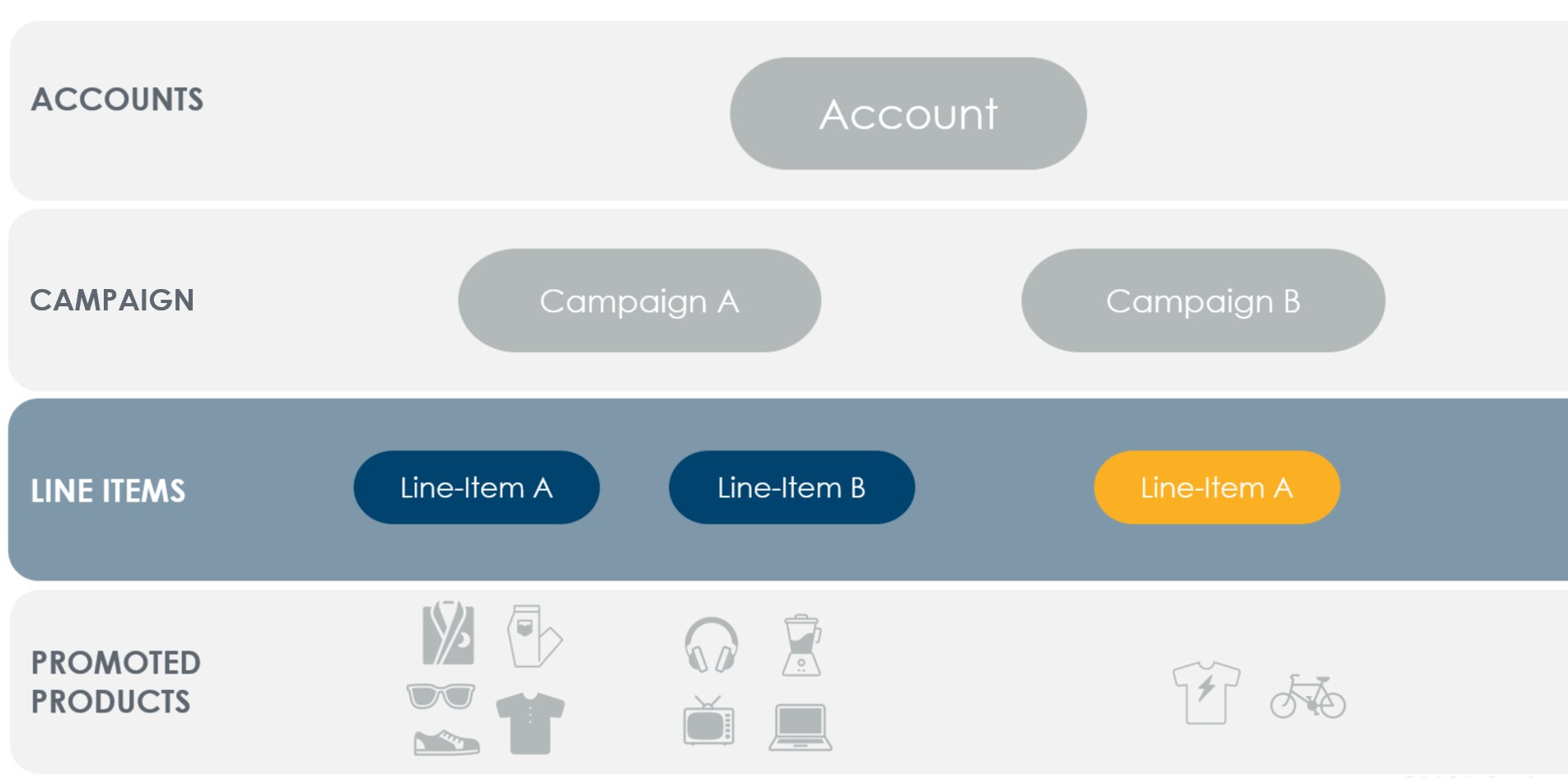
- A line item holds promoted products to advertise on any single retailer.
- Line items have bid settings, start & end dates, and optional budgeting & pacing controls.
- Budgets may additionally be controlled at the campaign level.
- Several reports are available to measure line item performance.
- Campaigns are limited to 10,000 non-archived line items.
- Line items are archived automatically 90 days after their end date.
Keywords
Criteo API provides the capability to control search placements based on keywords that shoppers may use on a search page. Using a single API call, you can specify which keywords to target or avoid, and optimize your line item by setting bids on the most relevant keywords.Negative Keyword Targeting
NOTESThis endpoint and its capabilities apply ONLY to Onsite Sponsored Products Campaigns & Line Items.
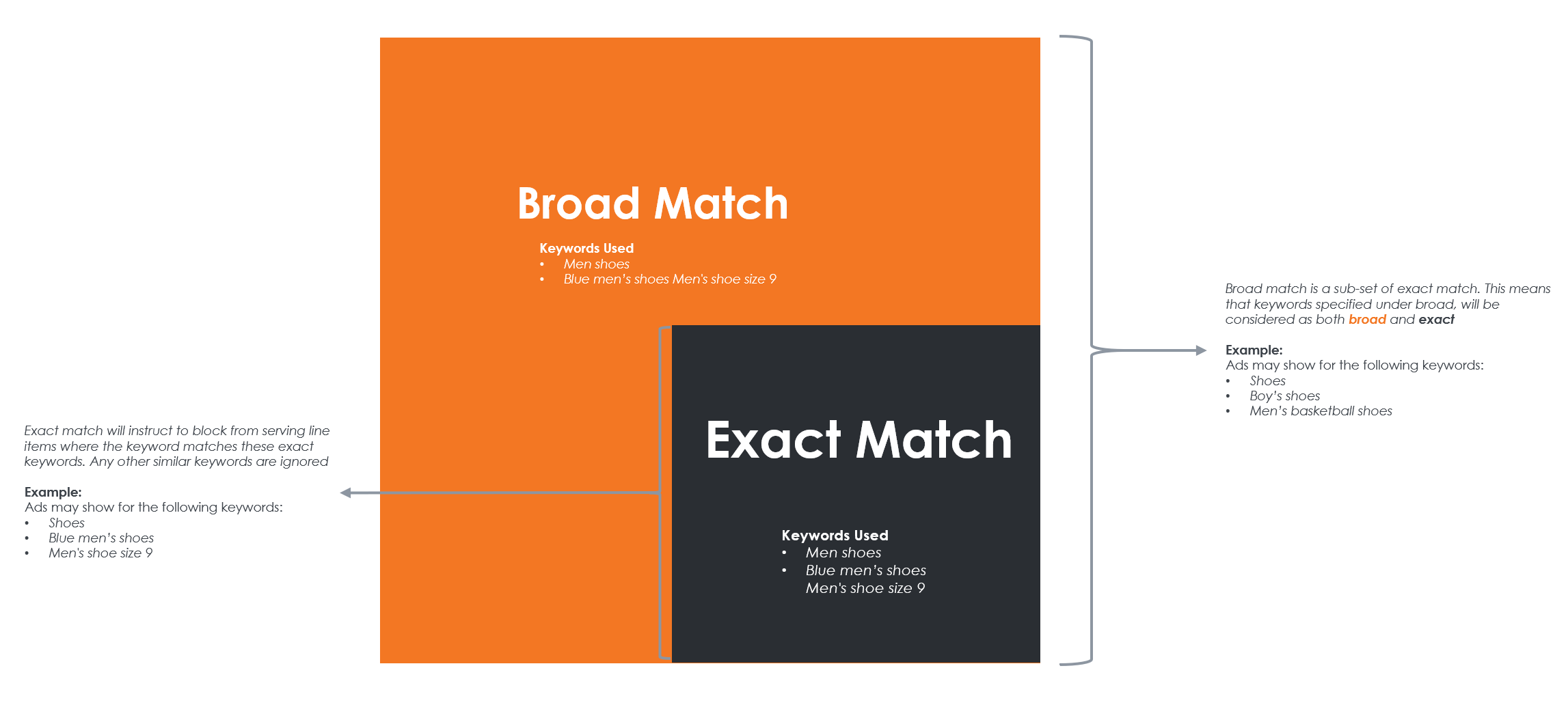
Negative keyword targeting allows you to specify keywords on which you do not want your ads to appear (applies to search inventory).
Negative keyword targeting allows you to specify keywords on which you do not want your ads to appear (applies to search inventory).
Match Type | Negative keyword | Ads won’t show for | Ads may show for |
|---|---|---|---|
Broad match | Men’s shoes | Men shoes, Blue men’s shoes, Men’s shoe size 9 | Shoes, Boy’s shoes, Men’s basketball shoes |
Exact match | Men’s shoes | Men’s shoes, Mens shoes, Mens shoe | Shoes, Blue men’s shoes, Mens shoe size 9 |
Submitted Keywords
Submitted (or Positive) keyword targeting enables targeting based on a pool of search phrases that closely match what shoppers type. The API allows you to specify these phrases using thePositiveExactMatch match type, comparing the shopper’s search term with your specified keywords for an exact match.
Submitted Keywords will always be Exact Match.
Submitted keyword match type | Positive keyword | Ads will show for | Ads won’t show for |
|---|---|---|---|
Exact match | Women’s shoes | Women’s shoes, Womens shoes, Womens shoe | Shoes, Blue women’s shoes, Womens shoe size 9 |
Keyword Normalization Involves:
- Removing stop words (e.g., “a,” “the,” “at”).
- Stemming remaining words by trimming prefixes and suffixes (“runner” => “run”).
- Sorting remaining words alphabetically.
NegativeExactMatch and NegativeBroadMatch to remove unwanted matches.
- Negative exact match: Removes phrases that match the normalized keyword exactly.
- Negative broad match: Removes phrases that match any part of a normalized keyword.
Submitted Keyword Approval Workflow
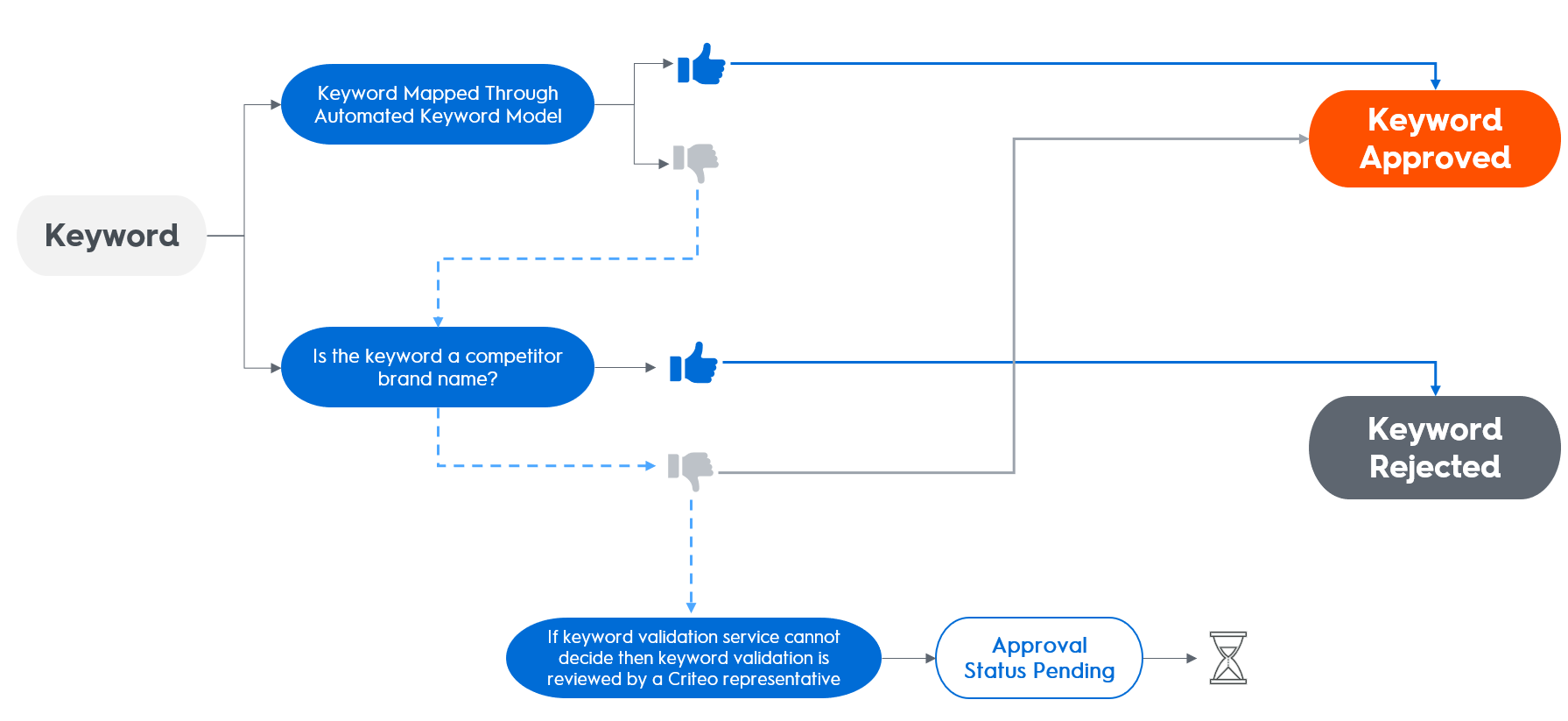
When you submit a positive keyword, it enters a pending state. Criteo’s validation system will automatically review and approve or reject the keyword:- If the keyword is already mapped in the automated keyword model, it is approved.
- If the keyword contains a competitor’s brand name, it is rejected and deactivated.
- If the keyword cannot be validated automatically, a Criteo reviewer will manually assess its eligibility.
Keyword Bidding
- Keyword bidding offers more granular control over your ad spend by allowing specific bids on keywords.
- The bid must respect the minimum CPC bid of the line item.
NoteIf the line item has a maximum CPC bid set, this will always be enforced, even if a keyword bid exceeds it.
- Approved: Keyword bids take effect immediately.
- In Review:: Bids are not effective until the keyword is approved.
- Rejected: Bids have no effect.
Additional ResourcesTo learn more about Criteo keyword services, explore these articles: