

Introduction
Campaigns define the high-level configuration for advertising across retailer inventory.
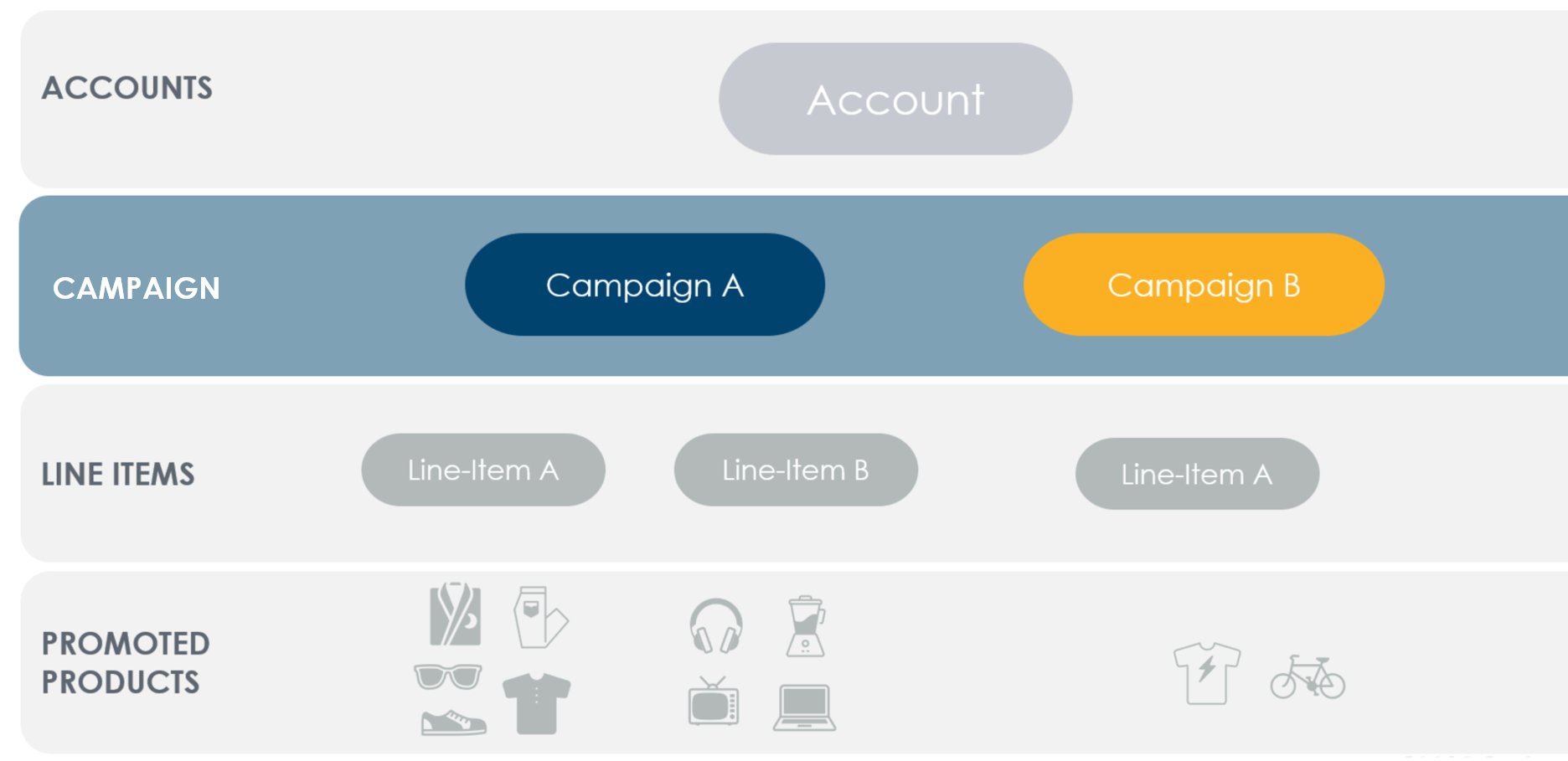
What to Know about Campaigns
- A campaign represents a marketing objective and contains line items
- Campaigns may hold line items across multiple brands and retailers
- Campaigns support optional budgeting and attribution controls
- Budgets may additionally be controlled at the line item level
- Several reports are available to measure campaign performance
- Accounts are limited to 100,000 active campaigns
- Supported campaign types depend on the buy type (e.g., Sponsored Products, Onsite Display)
Quick Start Process
- Create a campaign
- Create a line item
- Configure targeting, creatives, and bidding on the line item
- Assign the campaign to an account balance
- Activate your line item