

Endpoints
Budget Override Attributes
Data Type: object arrayDescription: Line item budget override monthly part, chronological order restricted.
Data Type: object arrayDescription: Line item budget override daily part, chronological order restricted.
Data Type: string (date-time)Description: Monthly budget override start month, format
yyyy-MM. If it is null, the StartMonth would be the following month of the last item in the override sequence.Data Type: string (date-time)Description: Daily budget override start date, format
yyyy-MM-dd. If it is null, the StartDate would be the following date of the last item in the override sequence.Data Type: stringDescription: The number of months (monthly Budget Override) or days (daily budget override) that the override is active from StartMonth (monthly budget override) or Start (daily budget override)Examples
- Monthly Override: “1M”. Must end with ‘M’ or ‘m’
- Daily Override: “1D”. Must end with ‘D’ or ‘d’
Data Type: number (double)Description: Monthly budget override maximum monthly spend amount.
Data Type: number (double)Description: Daily budget override maximum daily spend amount.
Data Type: stringDescription: Monthly or daily budget override computed status.
Campaigns
Get Campaign Budget Override
Sample RequestUpdate Campaign Budget Override
Sample RequestLine-items
Get Line Item Budget Override
Retrieves all existing budget overrides Sample RequestUpdate Line Item Budget Override
Be careful with overlapping different overridesBudget overrides cannot overlap. When scheduling a new override make sure it doesn’t overlap with the duration of other overrides to avoid 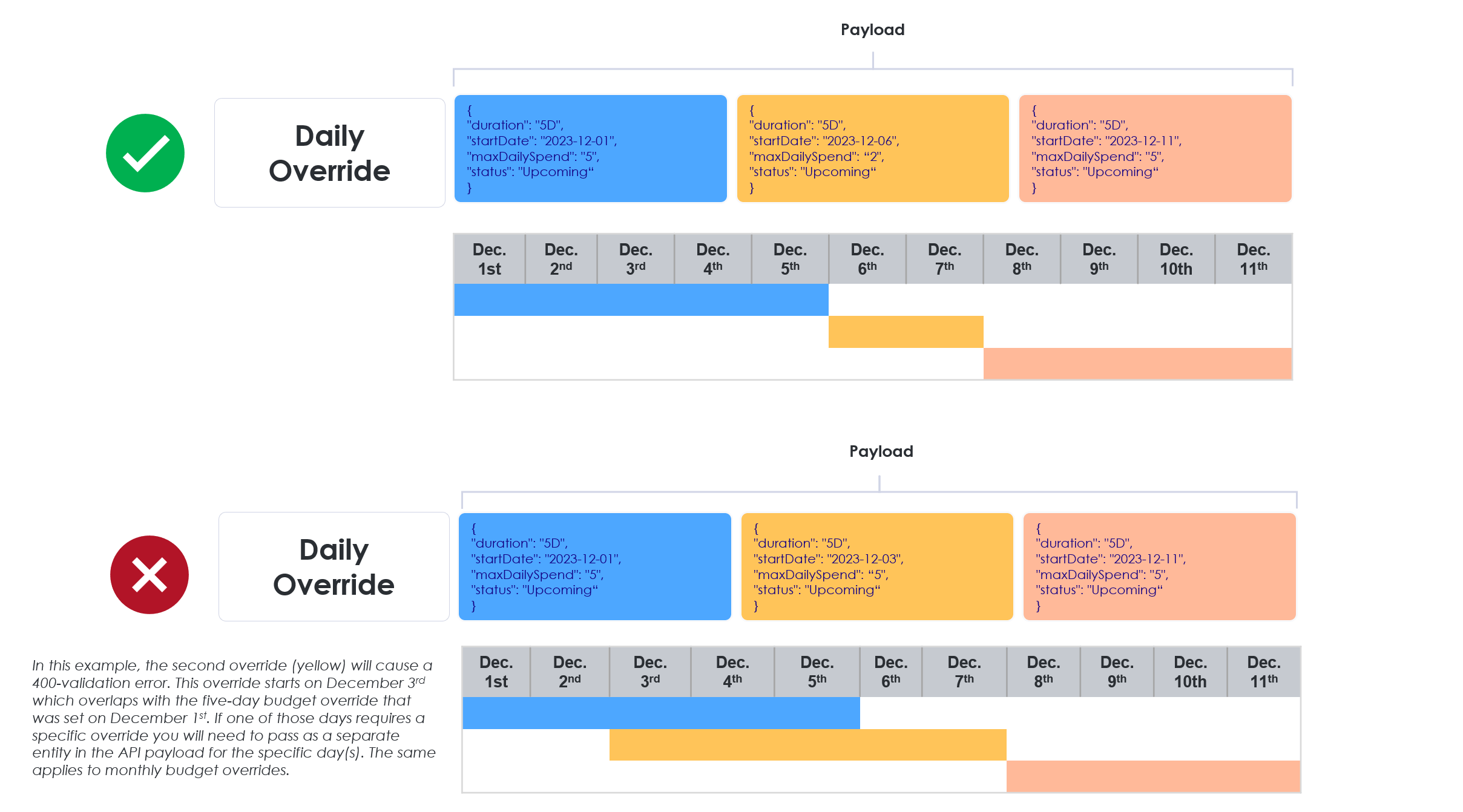
400 validation errors.