

PKCE Overview
Proof Key for Code Exchange (PKCE) is an extension of the OAuth 2.0 Authorization Code flow that enhances security for public or mobile clients that cannot safely store a client secret. It adds a verification step between the authorization request and token exchange to prevent intercepted authorization codes from being reused by malicious actors. You should use PKCE if your application is a mobile app, single-page app (SPA), or any client that cannot securely store a client secret. If your application is a traditional server-side (confidential) client, you can continue using the standard Authorization Code flow.PKCE in the App details page.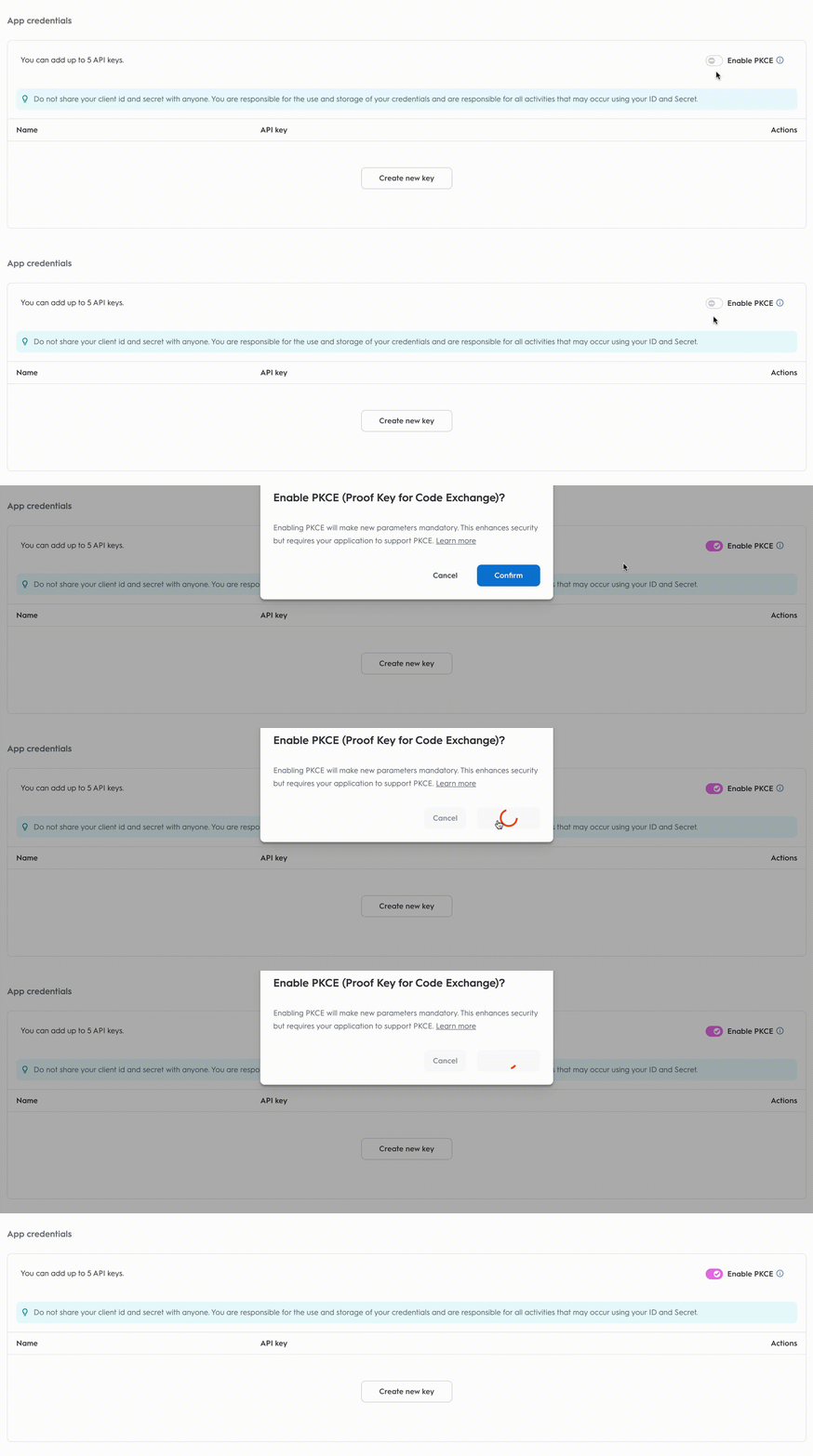
Step 1. Consent URL
Once your app parameters are set, you can implement the authorization code flow.Consent URL
To request access, create a Consent link that redirects the user.Authorization Code vs. Client Credentials Consent URLs
If you’re familiar with the Client Credentials workflow, you might notice that the Generate Consent URL button is not present in the partner portal for the authorization code workflow. This is because, with the authorization code method, you need to provide a redirect URI specific to your organization. Therefore, these URLs must be configured directly within your workflow.Parameter | Required | Description |
|---|---|---|
| Yes | Indicates that an authorization code is expected as outcome. |
| Yes | Your public key from the app credentials section. |
| Yes | The URL to redirect the user after consent. Must match the configured URI. |
| No | Optional string to prevent Cross-Site Request Forgery attacks. |
| Yes when PKCE is enabled | A challenge derived from the |
| No | A method that was used to derive The methods available:
|
Step 2. Exchanging the Access Code for the Access Token
code_verifier:
Example Request
Example Response (Success)
Parameters
All the following parameters are required in the context of PKCE.Parameter | Description |
|---|---|
| Indicates that you are providing an authorization code. |
| Authorization code returned during redirection. |
| Must match the |
| Your public key from the app credentials. |
| Your secret key, accessible when creating credentials. |
| A high-entropy random string created by the client (usually 43–128 characters). |
Using the Refresh Token
To renew an access token, use the following request:Parameter | Description |
|---|---|
| Indicates that you are providing a refresh token. |
| Refresh token shared when requesting an access token. |
| Your public key accessible in app credentials section. |
| Your secret key, accessible only once when creating a pair of |