

Line Items
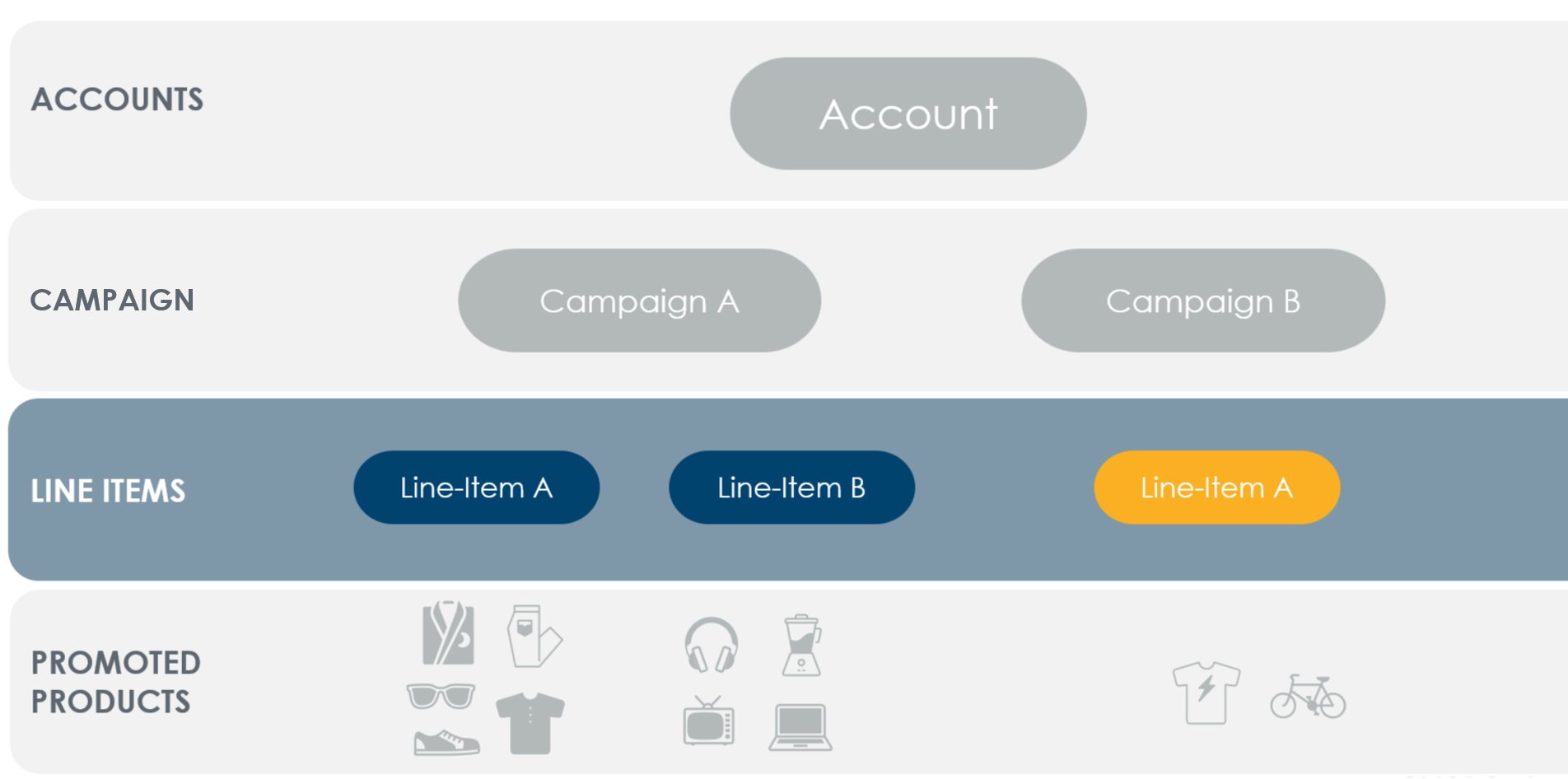
A-line item holds promoted products to advertise on any single retailer.Line items have bid settings, start & end dates, and optional budgeting & pacing controls.Budgets may additionally be controlled at the campaign level.Several reports are available to measure line item performance.Campaigns are limited to 10,000 non-archived line items.Line items are archived automatically 90 days after their end date.
Keywords
Criteo API provides the capability to control search placements based on keywords that shoppers may use on a search page. Using a single API call, you can specify which keywords to target or avoid, and optimize your line item by setting bids on the most relevant keywords.Negative Keyword Targeting
This endpoint and its capabilities apply ONLY to Onsite Sponsored Products Campaigns & Line Items.
Negative keyword targeting allows you to specify keywords on which you do not want your ads to appear (applies to search inventory).
Negative keyword targeting allows you to specify keywords on which you do not want your ads to appear (applies to search inventory).
Match Type | Negative keyword | Ads won’t show for | Ads may show for |
|---|---|---|---|
Broad match | Men’s shoes | Men shoes, Blue men’s shoes, Men’s shoe size 9 | Shoes, Boy’s shoes, Men’s basketball shoes |
Exact match | Men’s shoes | Men’s shoes, Mens shoes, Mens shoe | Shoes, Blue men’s shoes, Mens shoe size 9 |
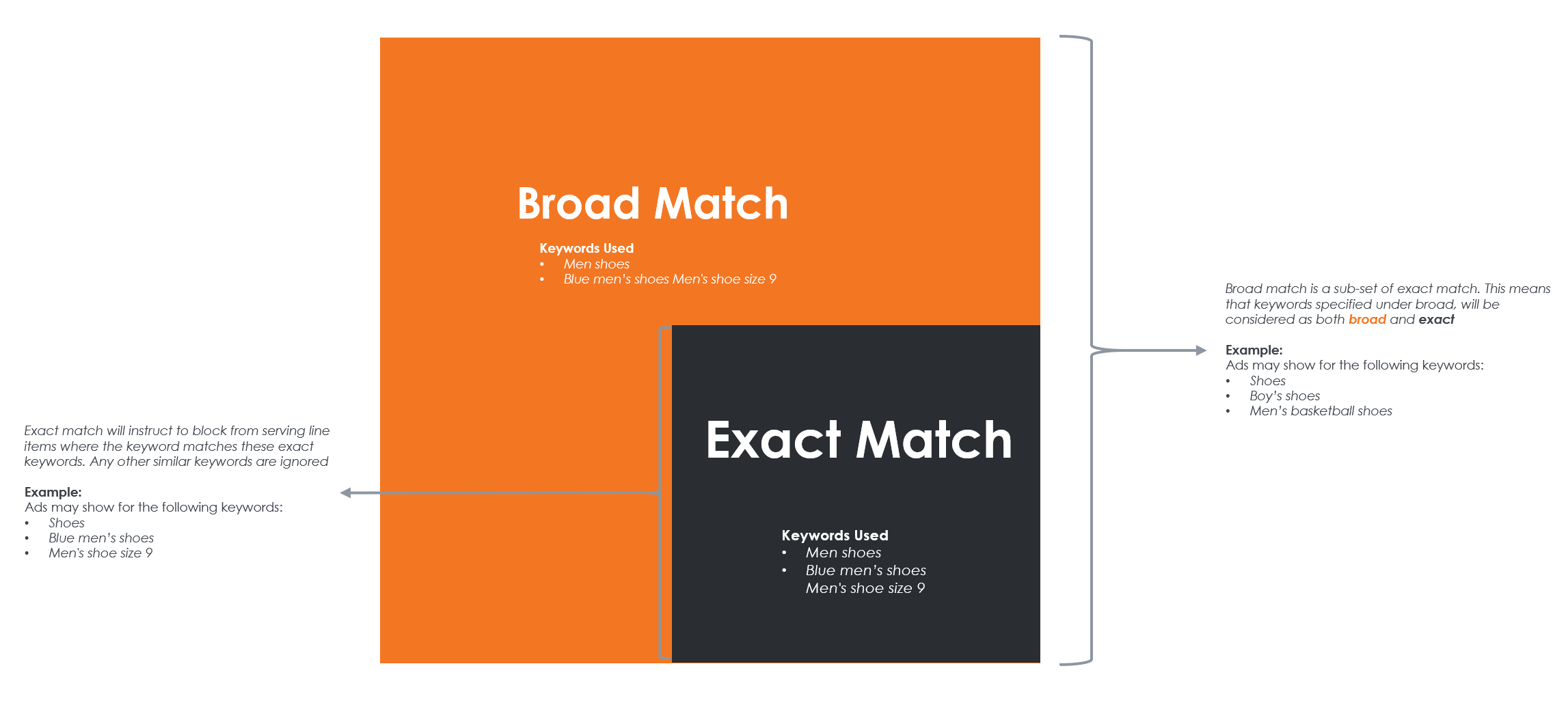
Exact match blocks ads from serving for specific keywords, while broad match blocks ads for a range of similar terms. Broad match is considered a subset of exact match, meaning keywords set as broad will be treated as both broad and exact matches.
Summited Keywords
Submitted (or Positive) keyword targeting enables targeting based on a pool of search phrases that closely match what shoppers type. The API allows you to specify these phrases using thePositiveExactMatch match type, comparing the shopper’s search term with your specified keywords for an exact match.
Submitted Keywords will always be entered as Exact Match.
Submitted keyword match type | Positive keyword | Ads will show for | Ads won’t show for |
|---|---|---|---|
Exact match | Women’s shoes | Women’s shoes, Womens shoes, Womens shoe | Shoes, Blue women’s shoes, Womens shoe size 9 |
Keyword Normalization Involves:
- Removing stop words (“a,” “the,” “at”, …)
- Stemming the remaining words by trimming common prefixes and suffixes (“runner” => “run”)
- Sorting the remaining words alphabetically.
NegativeExactMatch and NegativeBroadMatch to remove unwanted matches.
- A negative exact match must match a normalized positive phrase exactly for that phrase to be removed
- A negative broad match can match any substring of a positive phrase for that phrase to be removed
Submitted Keyword Approval Workflow
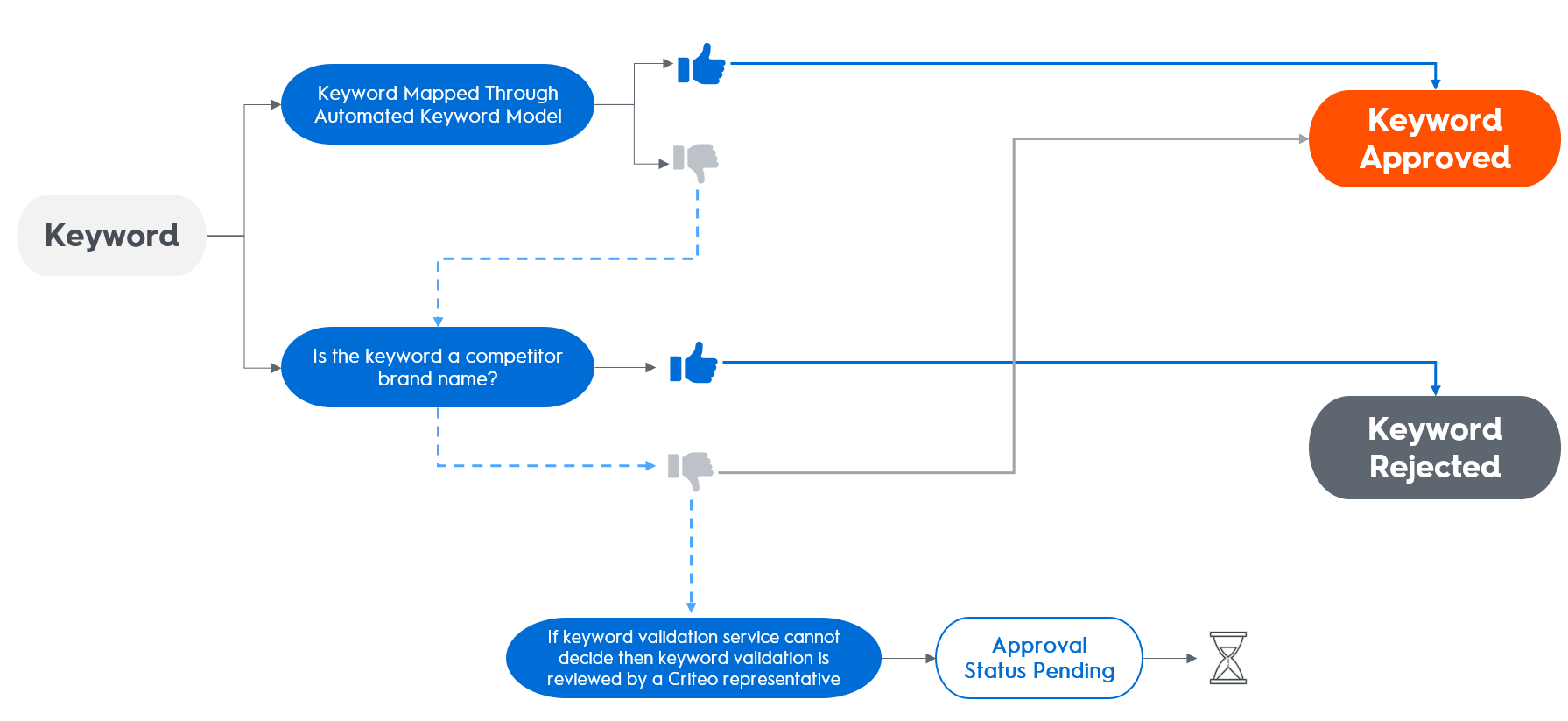
When you submit a positive keyword, it enters a pending state. Criteo’s validation system will automatically review and approve or reject the keyword:- If the keyword is already mapped in the automated keyword model, it is approved.
- If the keyword contains a competitor’s brand name, it is rejected and deactivated.
- If the keyword cannot be validated automatically, a Criteo reviewer will manually assess its eligibility.
Keyword Bidding
- Keyword bidding offers more granular control over your ad spend by allowing specific bids on keywords.
- The bid must respect the minimum CPC bid of the line item.
If the line item has a maximum CPC bid set, this will always be enforced, even if a keyword bid exceeds it.
- Approved: Keyword bids take effect immediately.
- In Review:: Bids are not effective until the keyword is approved.
- Rejected: Bids have no effect.
Additional ResourcesTo learn more about Criteo keyword services, explore these articles:
The endpoints and functionalities covered in this page refers to features available exclusively in Preview for now, which doesn’t mean that they are the only ones available for this domain/scope.For more complete information about our API capabilities, check the Stable version in Welcome to Criteo Retail Media API