

Retrieving App Credentials
-
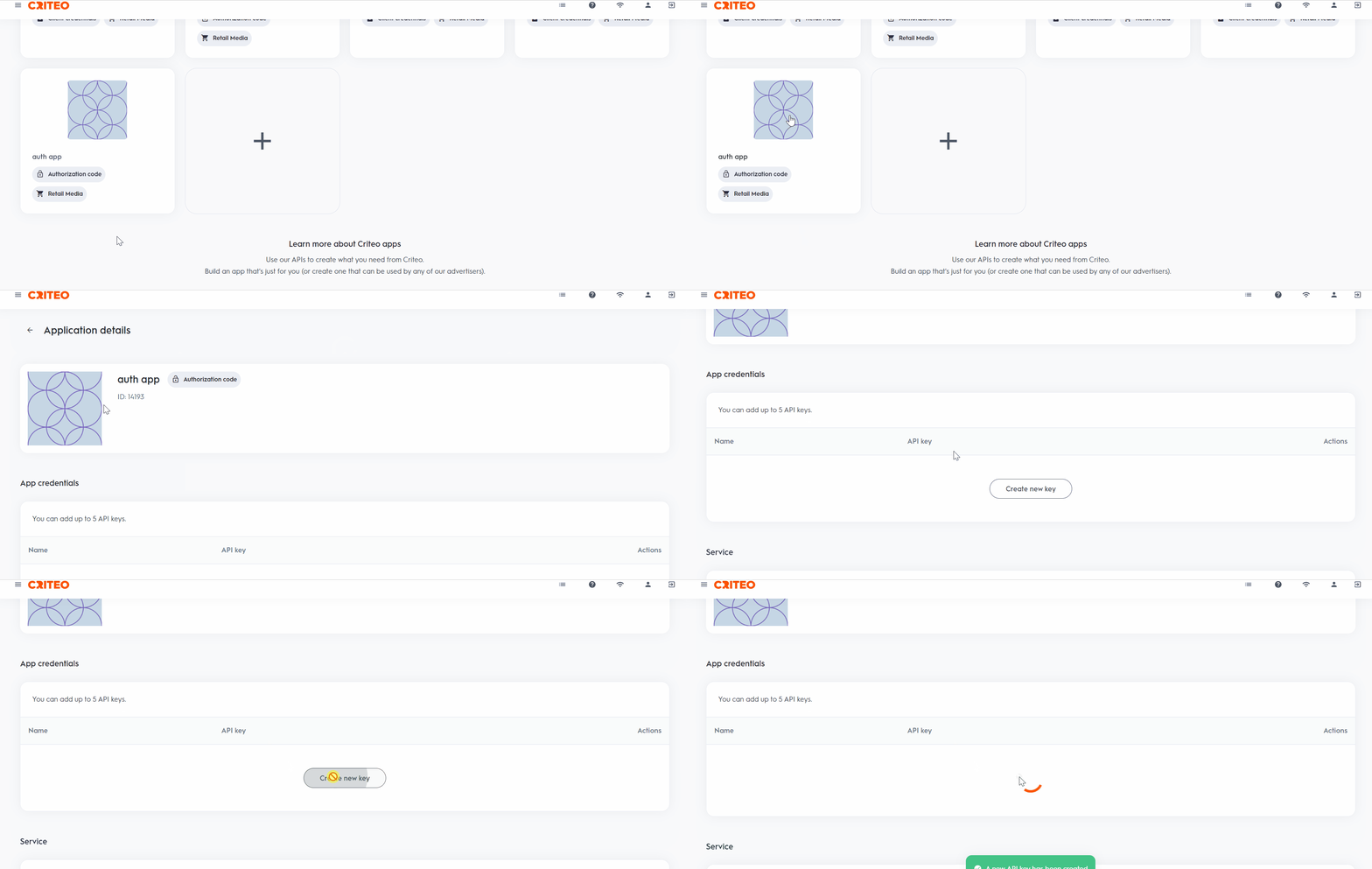
Log in to the Criteo Partner Dashboard, and from the
My Appspage, select the application for which you want to retrieve credentials. -
Click on
Create new keyto generate your set of credentials.
/oauth2/token endpoint to obtain your token.
The steps to obtain the token depend on your selected authentication method: Client Credentials or Authorization Code.
Best practice tips
- Use the dashboard to manage your API keys. You can delete a key, and it will remain valid for 15 minutes before deactivating.
- Rename your credentials directly in the dashboard for easy identification, such as “Troubleshooting Credentials” or “Production Credentials.”
- You are limited to five API credentials per app, allowing for flexibility (e.g., 1 for production, 1 for troubleshooting, and others for various use cases).
What’s Next