Pre-requisites
- Completion of the application onboarding checklist
- Postman Desktop or Postman Web client. Make sure your workspace visibility is set to its expected setting.
Fork the Criteo API collection
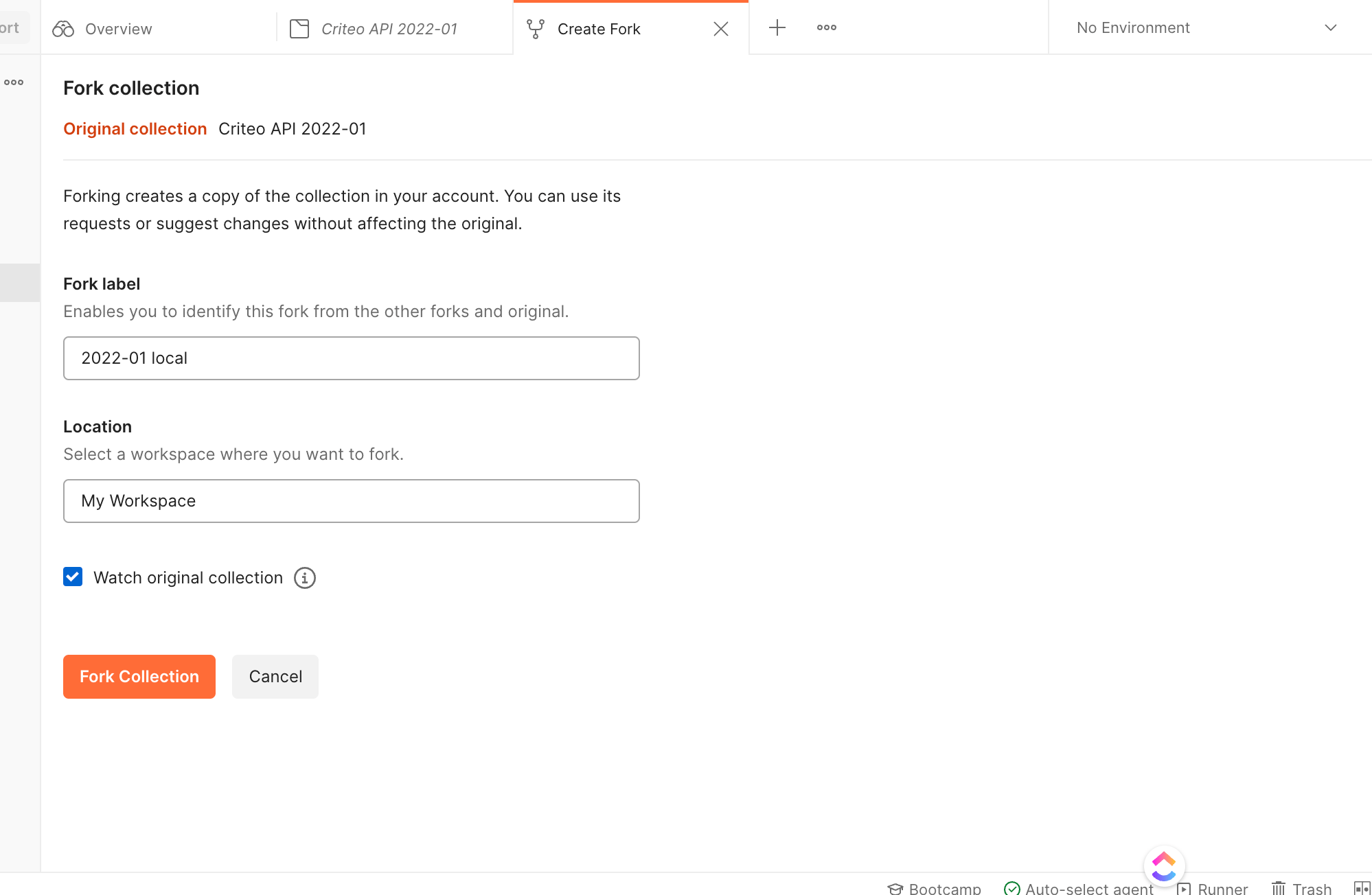
In this step, you set up the environment variables used to retrieve an access token. Go to Criteo Postman workspace and click on the collection you would like to test. You will see the collection description on the right-hand side and the list configuration options on the left-hand side. Click “Create fork” and provide the fork label in the newly opened window as shown on the following screenshots: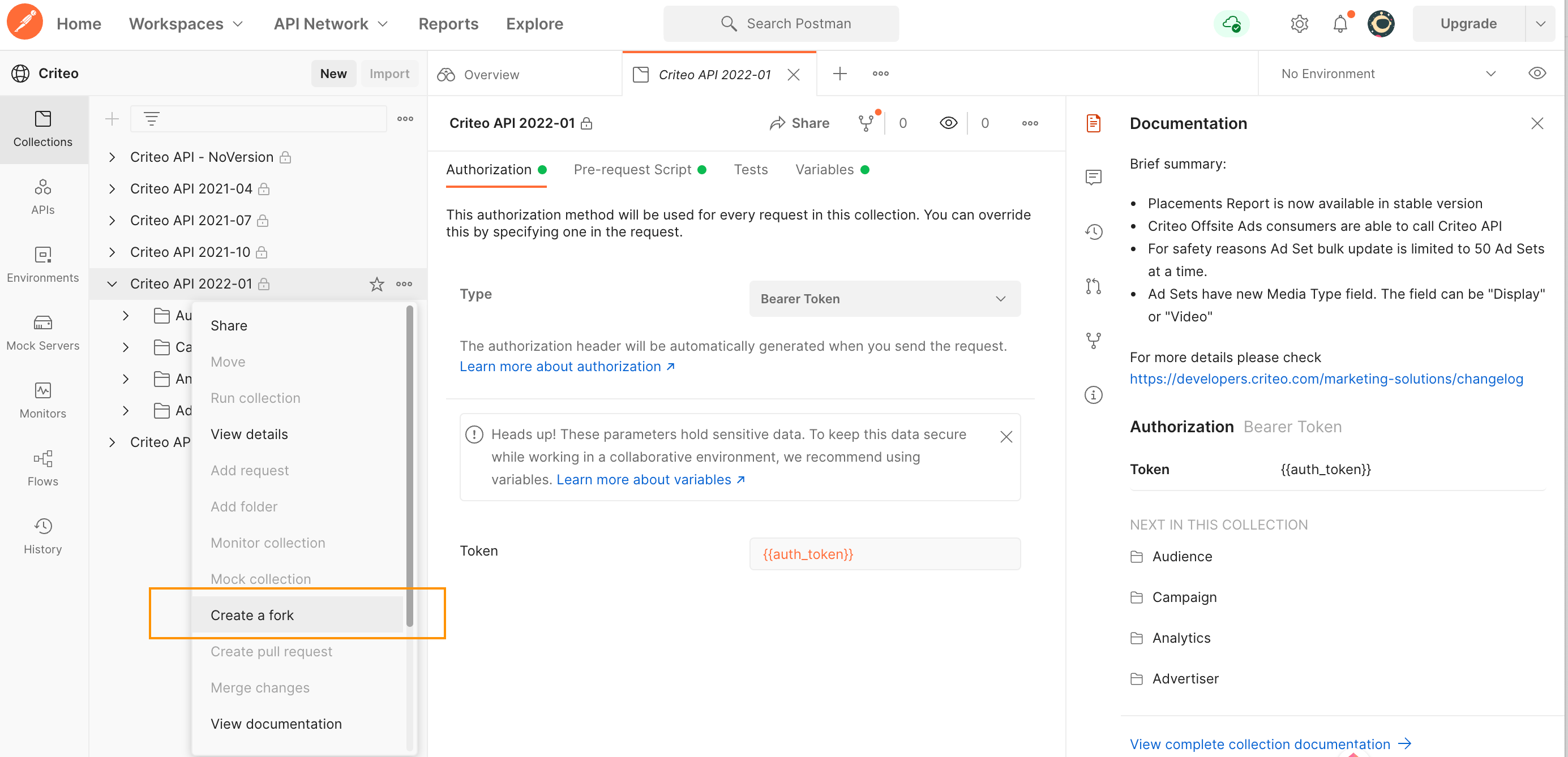
Configure authentication
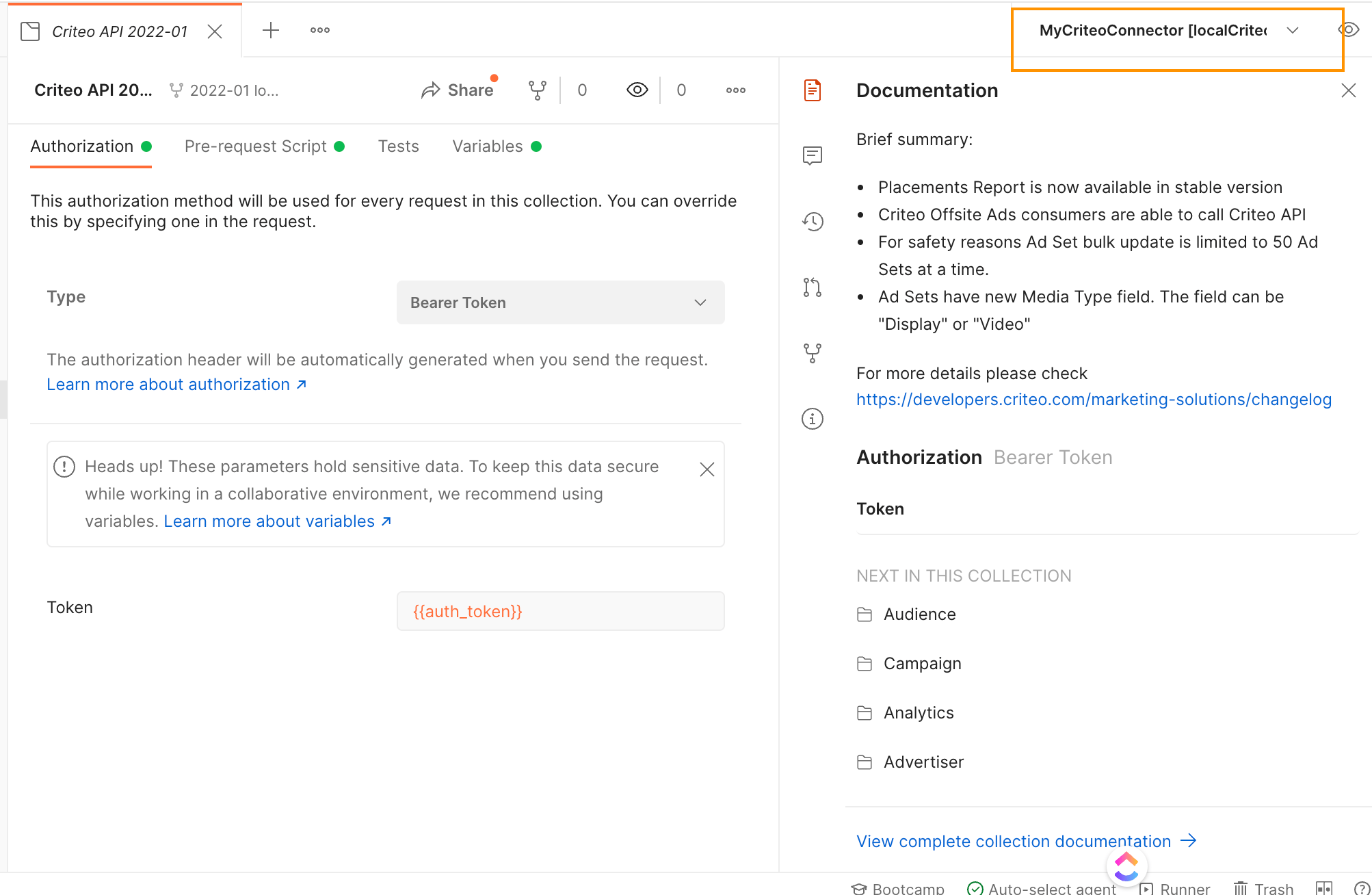
Go to the Criteo API templated environment. You will see collection of variables that you should customize according to your application credentials.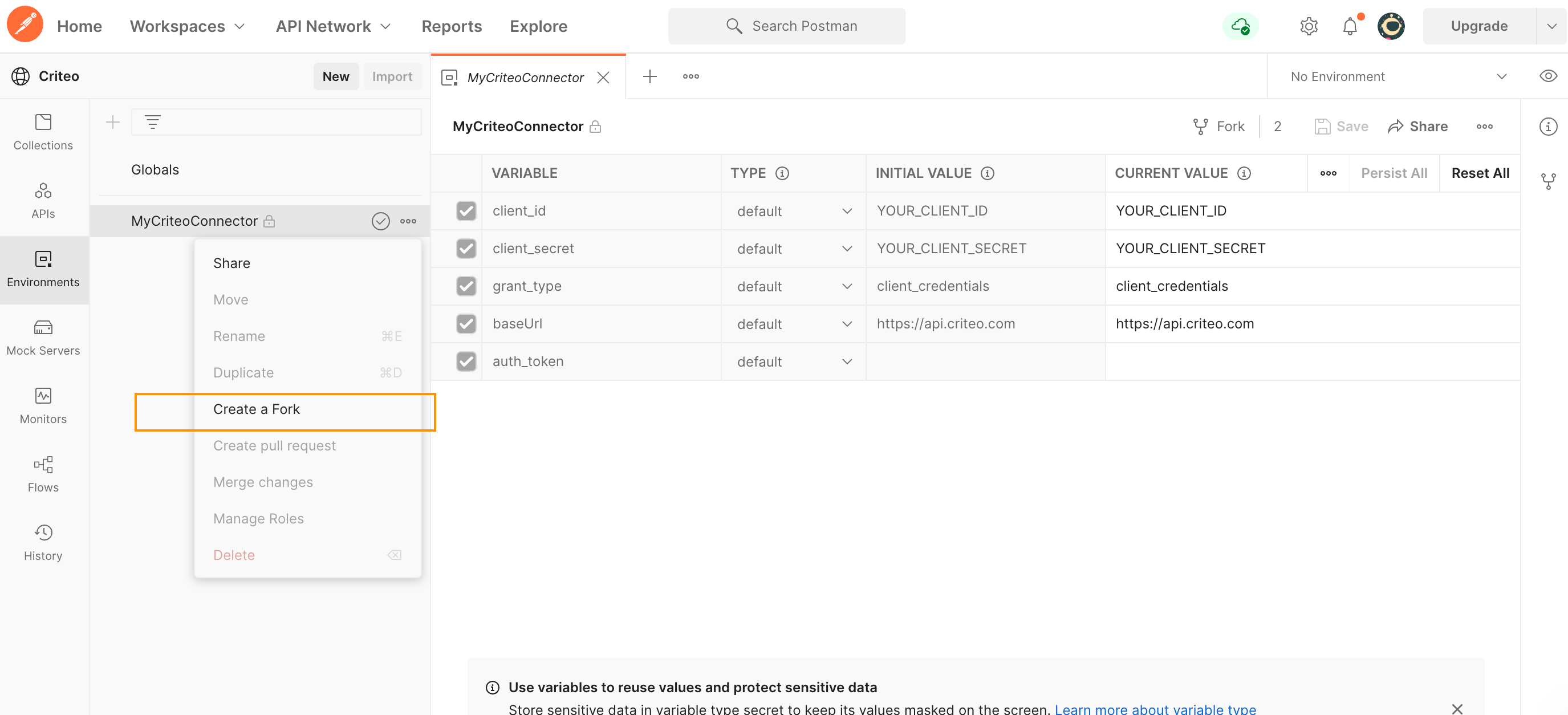
- In
client_idandclient_secretfields, set the CURRENT VALUE column to the application client_id and client_secret values you received from the onboarding step - You don’t need to change the remaining rows as long as the application grant type is “client_credentials”. If you have a different application type, please get in touch with our support
Your first API request
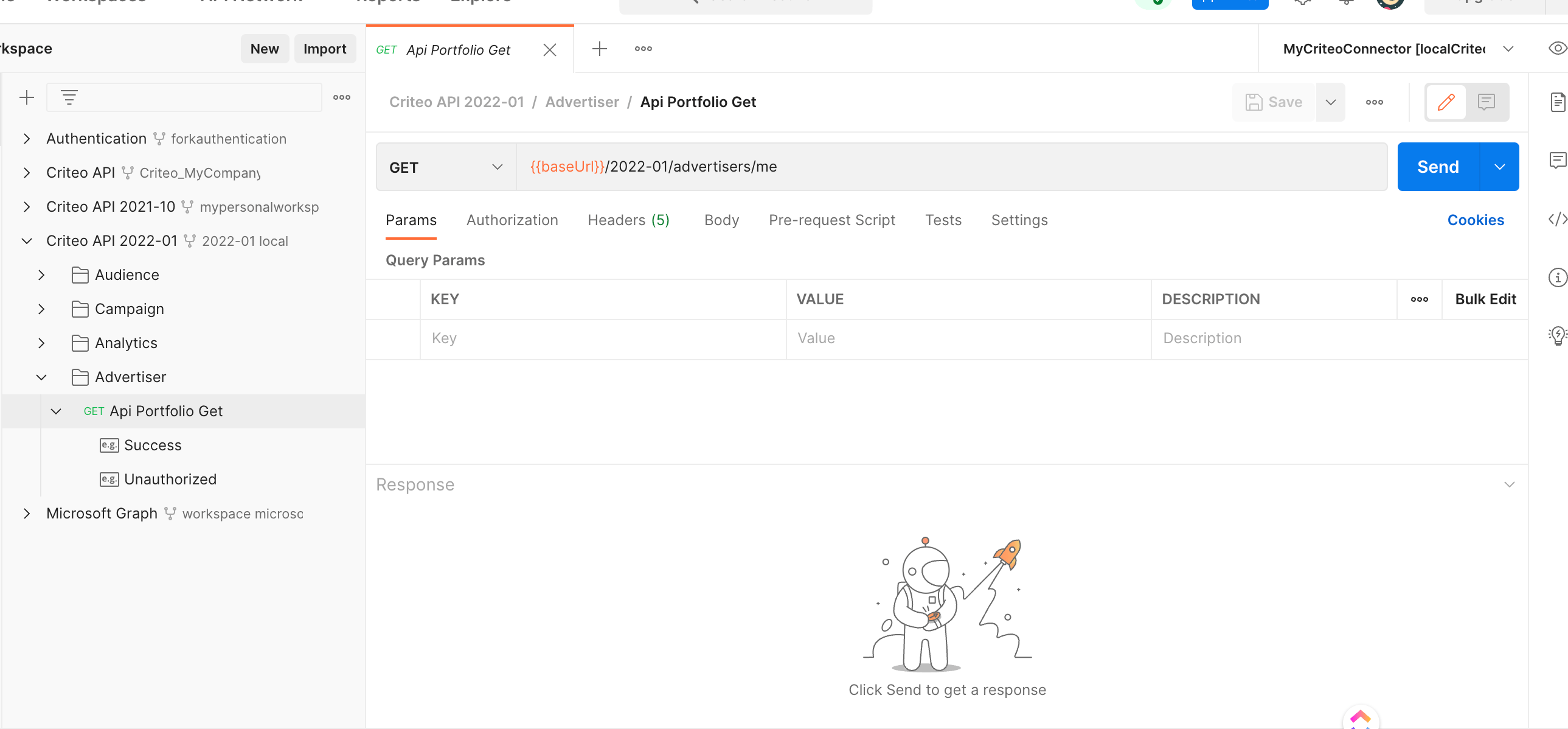
Inside the versioned folder you will find the requests for the various Criteo API endpoints you can call. To make your first call:- Expand the folder and then expand into the Advertiser folder
- Click “Api Portfolio Get” to open the portfolio request
- On the top right, select “Send”