Create your API application
Once you have created your organization, you can access theMy Apps page to begin creating your application. This page is also where you will manage your Criteo API applications.
To start creating your API application, click the Create a New App button in the top right corner of the page. This will initiate the application creation process.
Step 1 - Create application
App details
- Provide a name for your application, along with an optional description and app image. Please ensure that your application has a clear and identifiable name, as this greatly assists our teams in providing faster and more effective support during troubleshooting.
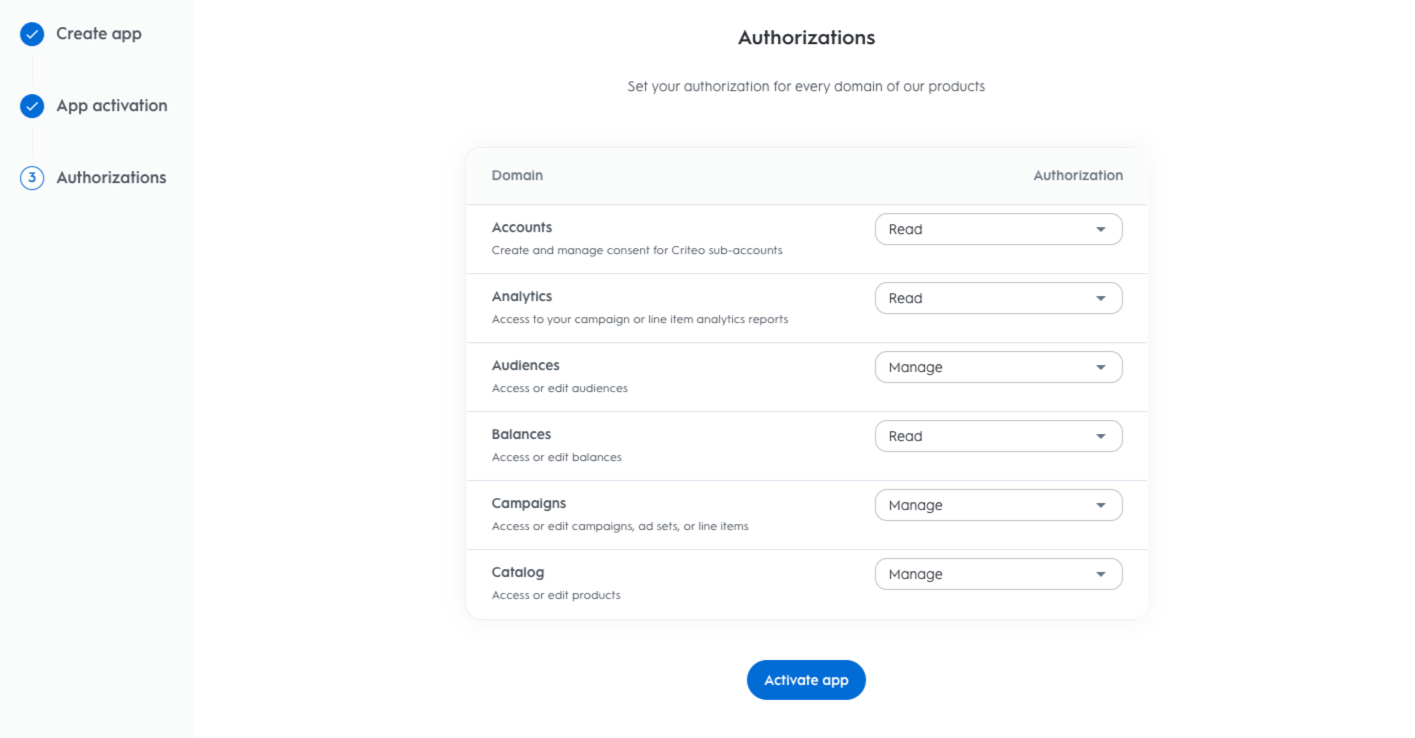
Authentication method
- Criteo’s API supports two OAuth authentication methods: Client Credentials and Authorization Code. Each method has its own advantages, so before proceeding, we strongly recommend reviewing which authentication method is best suited to your application’s needs.
Step 2 - App activation
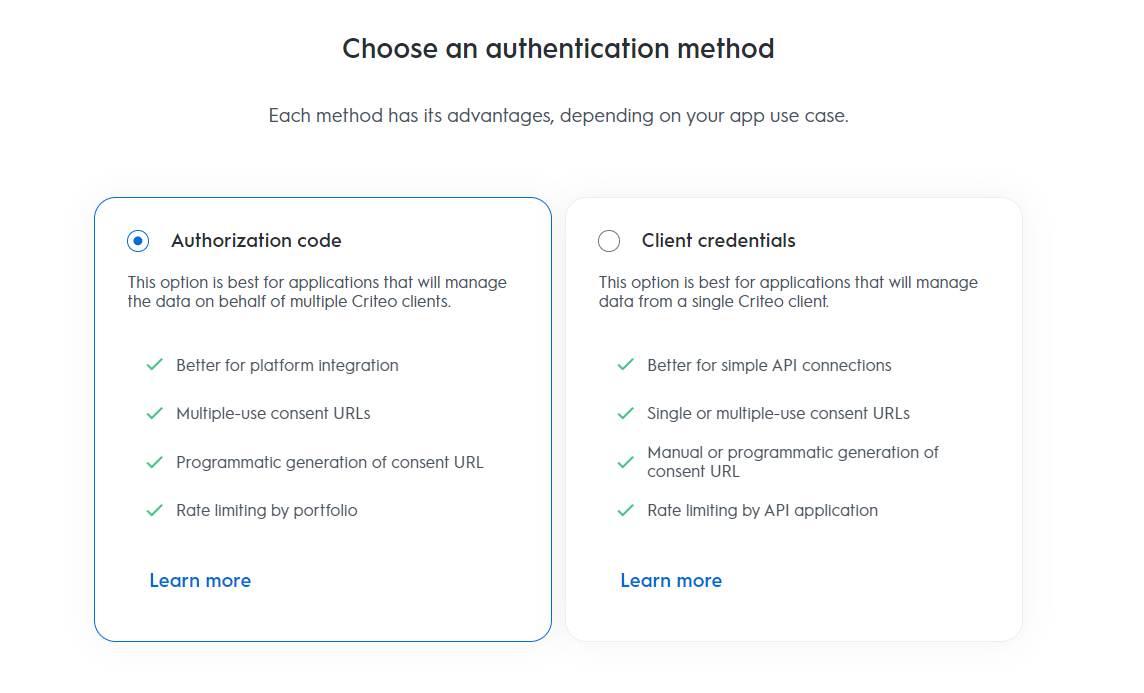
Once you’ve selected the appropriate authentication method, proceed to choose the service you’ll be using.Services
- Choose the Criteo service your API application will interact with:
- C-Growth and Marketing Solutions
- C-Max and Retail Media
Step 3 - Authorizations
Domains
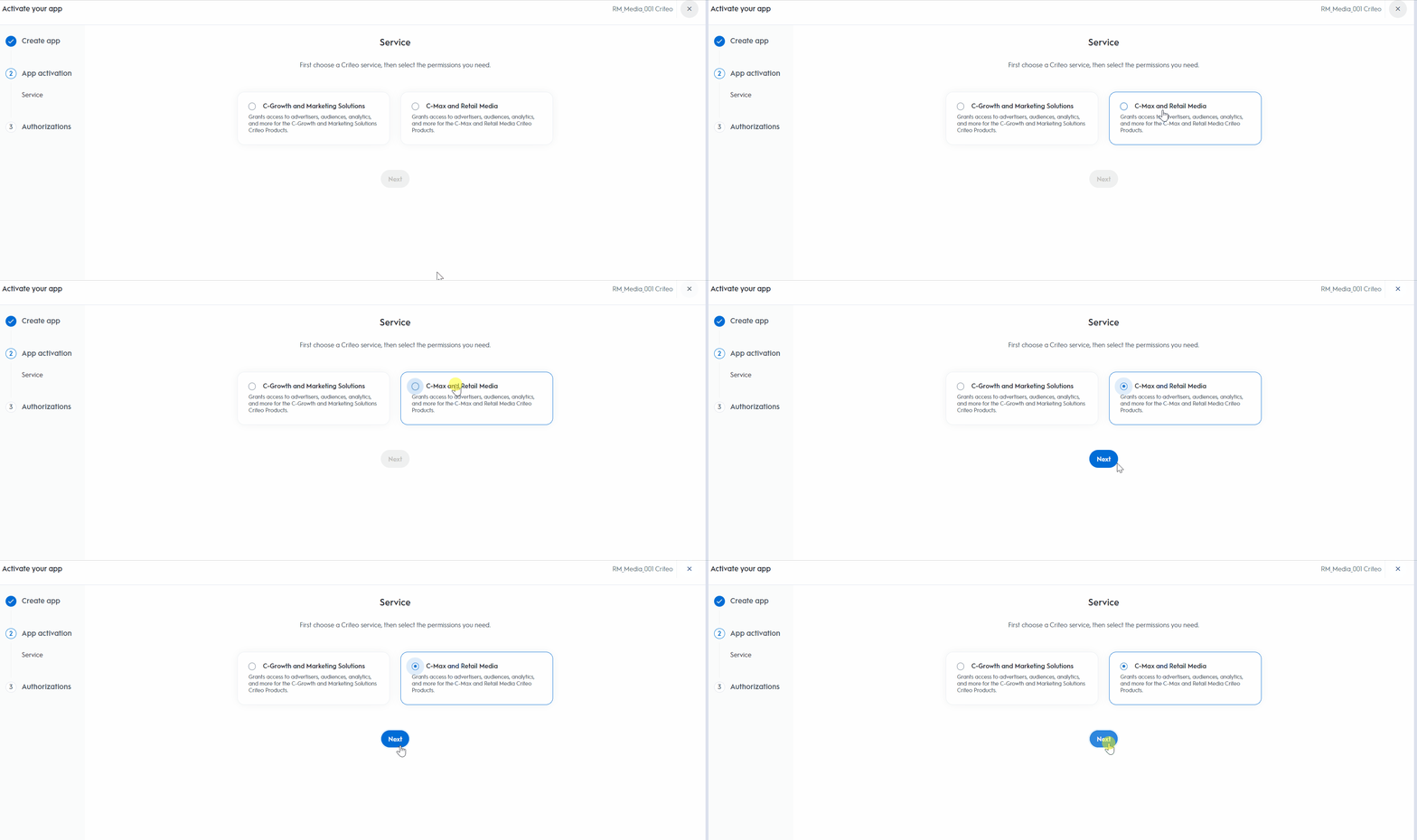
- Choose the domains that define the permission levels your application will need. These domains determine which endpoints your application can access.
-
After selecting the appropriate domains, click
Activate App.
Retail Media Domains
Domain | Description | Authorization Types |
|---|---|---|
Accounts | Manages permissions to endpoints responsible for describing accounts’ entities, with their properties and relationships, like parent/child accounts | No access / Read / Manage |
Analytics | Manages permissions to generate reporting data for campaigns & line-items, considering desired list of dimensions & metrics | No access / Read |
Audiences | Manages permissions to check/manage audiences available to campaigns | No access / Read / Manage |
Balances | Manages permissions to endpoints responsible for configuring and retrieving balance entities, which define spending limits applied across campaigns linked to an account. | No access / Read / Manage |
Billing | Manages permissions to generate billing data for campaigns & line items for a retailer partner | No access / Read |
Campaigns | Manages permissions to endpoints responsible for campaigns management, including line-items, balances and creatives | No access / Read / Manage |
Catalog | Manages permissions to check/manage products catalogs | No access / Read / Manage |
Account Manage, Balance Manage and Billing Read permissions must be first requested to be activated by your Criteo contact to appear as options when creating your apps. Note that they cannot be added to existing applications.