

Introduction
The Criteo API enforces a rate limit, which consists of a limitation in the number of calls you’re able to perform on any of its endpoints. This limitation is enforced to provide all our API clients with stability towards our API infrastructure.Rate Limits
Criteo provides different rate limits depending on the OAuth method used by your application.OAuth Method | Rate limit | Rate limit applies at level |
|---|---|---|
250 calls per minute | Application level | |
10 calls per minute | Account |
Rate limit exceptionsNote that some resource-sensitive endpoints may have specific rate limits applied at the endpoint level.
Response
If your application access token exceeds the given rate limit, you will receive a429 HTTP response and be blocked from executing the action.
The following information will be provided in the header:
Header | Description | Example response with a limit set at 20 calls/minute |
|---|---|---|
| the currently authorized limit for this caller | 20 |
| the remaining calls for this caller (so, limit - current rate) | 0 |
| the timestamp at which a new call could be performed | 1628249355 |
Rate Limit Best Practices
For the best experience, while using Criteo API, we strongly encourage implementing best practices methods to help you attain the best API experience. In the steps below, we will provide guidance to help you manage your application rate limits.Implement Backoff Mechanics
Exponential backoff mechanisms helps your application handle rate limit exceeded errors by introducing increasing intervals between retry attempts. This approach reduces the likelihood of overwhelming the API server with repeated requests, mitigating the risk of rate limit penalties. By gradually increasing the time between retries, exponential backoff allows the server to recover from transient failures or temporary congestion more effectively. In the event that your application runs into a429 error, we recommend your application waits one second before retrying the call again. When a second error is experienced, have your application wait two seconds before attempting a new retry.
Setting your application to gradually repeat these exponential backoff mechanisms will allow the server to recover from an overload of calls.
Distribute load using access token best practices
Client Credentials
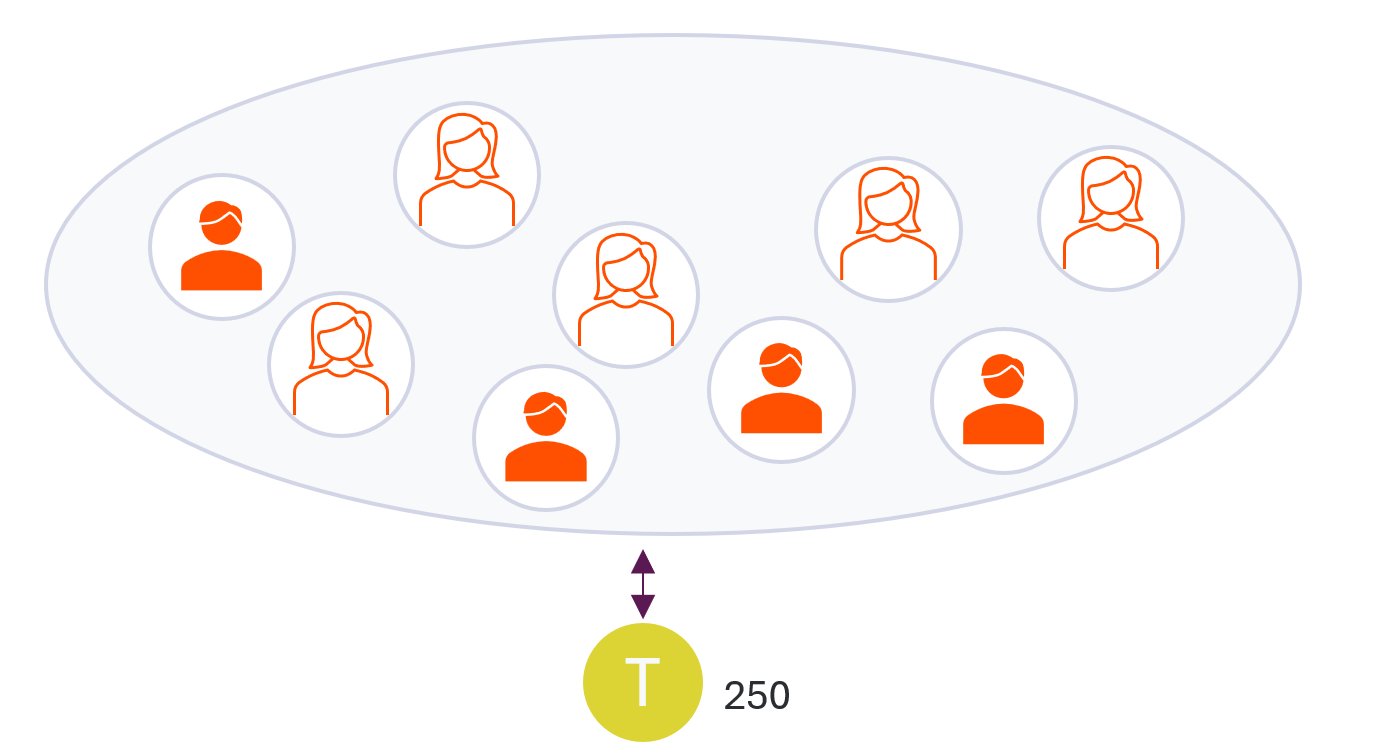
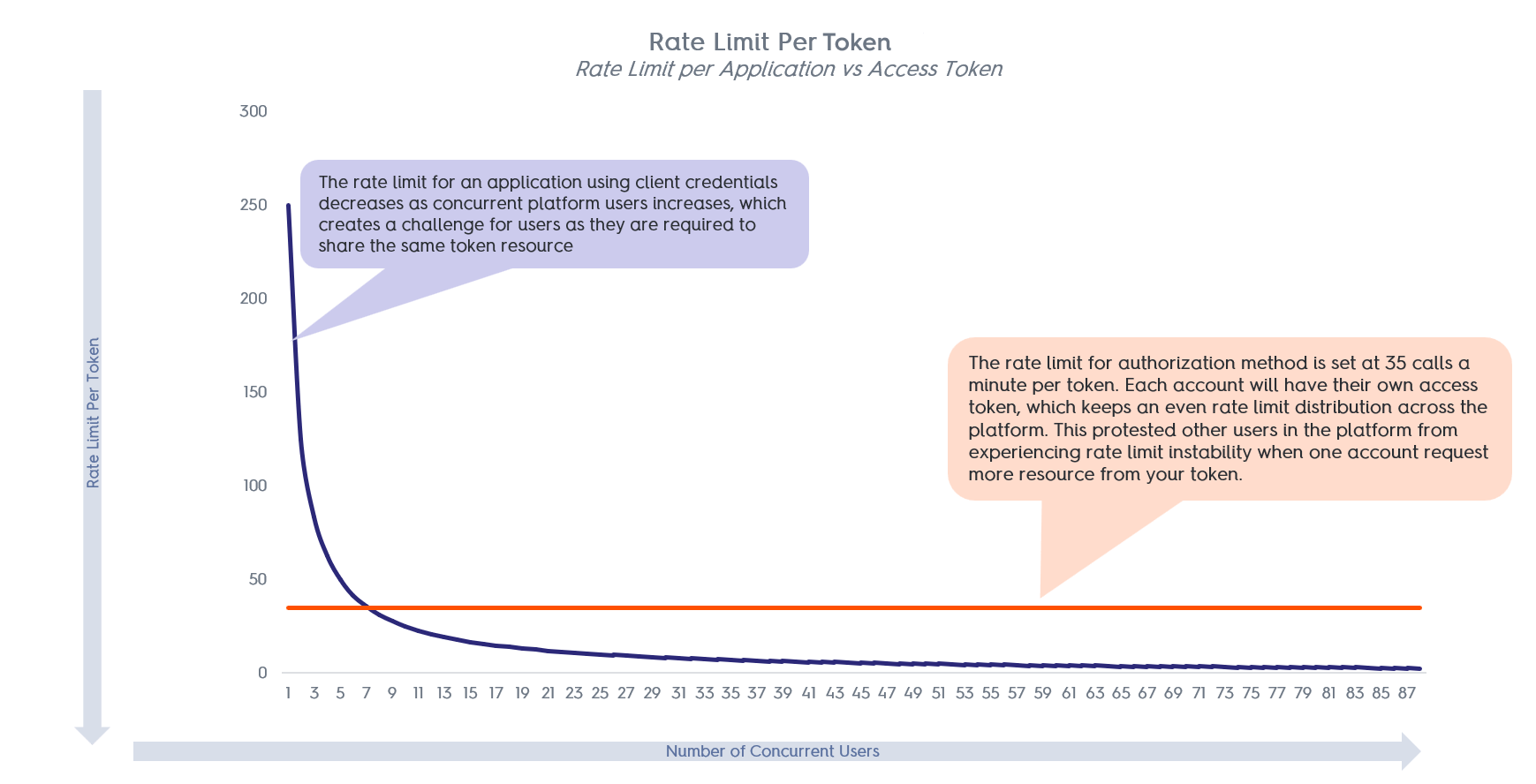
Authorization Code
Self-service platforms provide users with a convenient way to manage their own data. However, when an application handles data for multiple users, it’s crucial to ensure that each account (i.e., advertiser/retailer who grants access) can only access their own information and is subject to their own resource limits. To support this, Criteo enforces rate limiting per accounts consented to. Each account receives a dedicated access token and is assigned an individual rate limit. All API calls made with that token are counted against the account’s quota, not a shared or global one. By choosing the authorization code workflow for your application, you ensure that activity from one account does not affect the experience of others. This isolation provides a more stable and predictable environment for all users.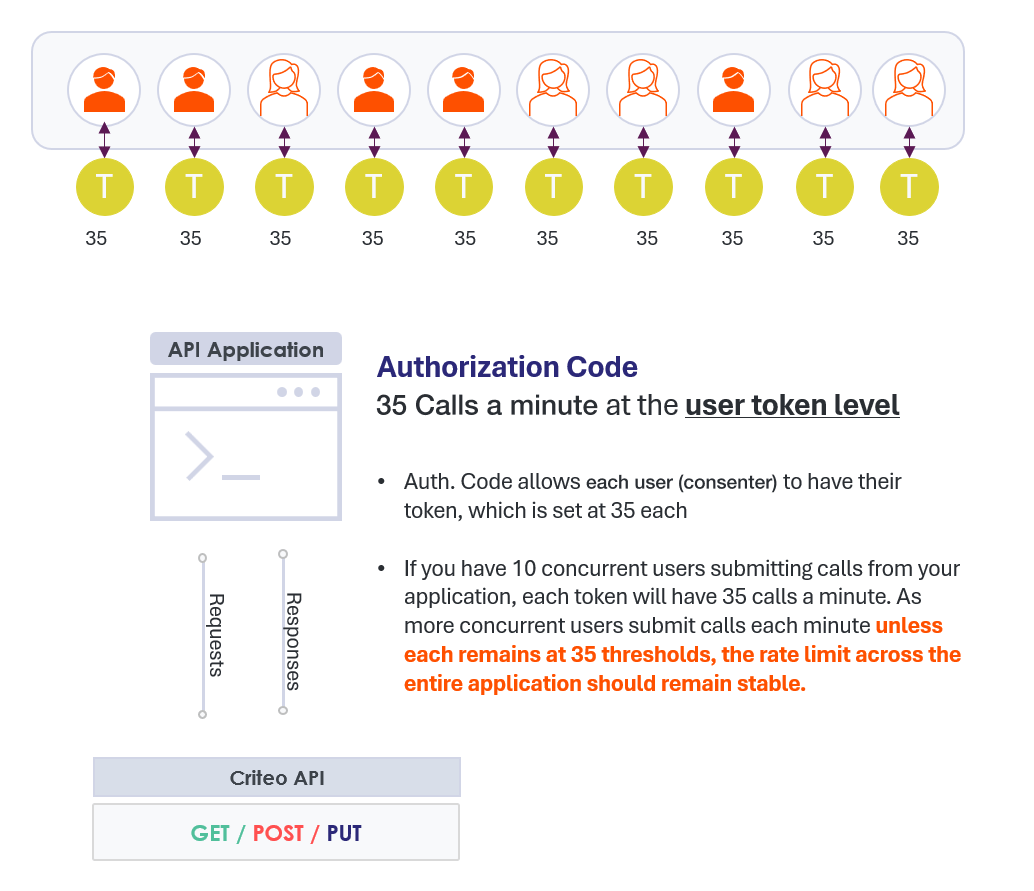
Export only the data you need, and avoid unnecessary calls
We understand that having the most up-to-date data is essential to help advertisers make the best decisions. But in this section, we will explain how calls to analytics APIs may be unnecessary and can cause your access token to exceed its limits. Limit your queries to attribution settings users most often look at, instead of pulling all potential combinations of settings- Pulling all possible attribution settings will increase your needed API calls. Instead of pulling all combinations, allow users to draw the most commonly used settings
- Pulling more than four (4) days worth of data may be unnecessary, as data won’t change beyond this period. Spend and attribution data are both final after 72 hours. Attributed sales are assigned to days on a sale-day basis, not event-day. So, multiple reporting calls can be reduced to ensure that you’re getting just the data that you need to cache within your system.