

Introduction
To get started with Criteo API, you need to get credentials to be able to make API requests.Your credentials are made up of an API Key and an API Secret. These allow you to access the API without needing to provide a username and password each time you make a call. Your credentials determine which permissible actions your app can perform. To get your credentials, follow the steps indicated below.
You can find more information about the OAuth implementation on this page.
Credential Request Process
Step 1
Log in to the Criteo Partner Dashboard and go to your app page (My Apps and click on view to select an app) and click on Create new key to generate your set of credentials.
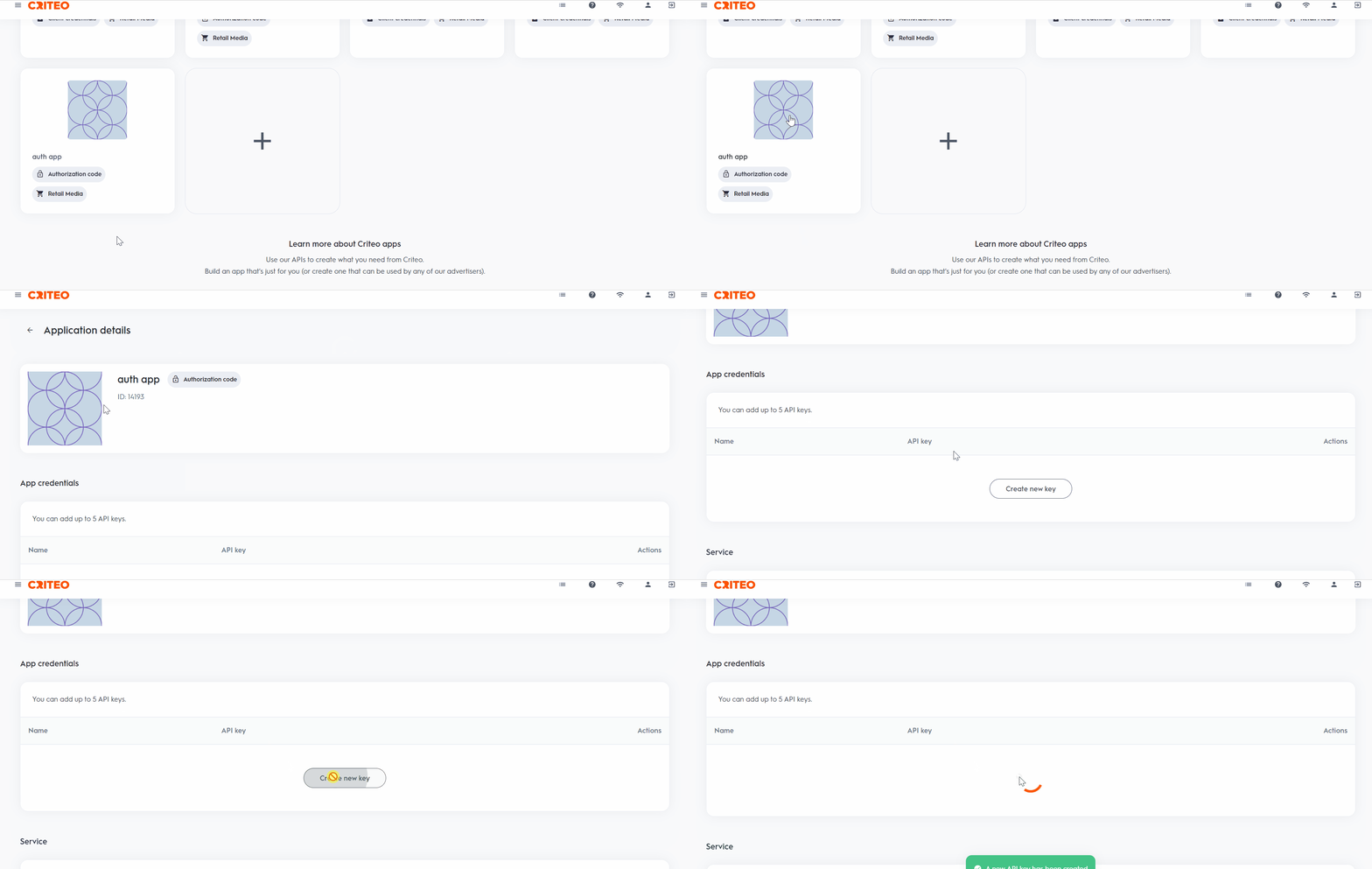
Step 2.
A text file will be automatically downloaded with both your API Key and API Secret. You can copy your key from the credentials’ dashboard as often as you need, but we can only share the secret with you once. Make sure to save it somewhere safe!Step 3
You can then authenticate using the key and the secret using thePOST /oauth2/token endpoint to get your token.
More information about the Auth endpoint is available in the API Reference documentation and in our dedicated guide.
Manage and Delete API Keys
You can use the dashboard to manage your API keys. You can also delete an API key from this dashboard. The key will stay valid for fifteen minutes before deactivating.Best Practices
- Use the dashboard to manage your API keys. You can delete a key, and it will remain valid for 15 minutes before deactivating.
- Rename your credentials directly in the dashboard for easy identification, such as “Troubleshooting Credentials” or “Production Credentials.”
- You are limited to five API credentials per app, allowing for flexibility (e.g., 1 for production, 1 for troubleshooting, and others for various use cases).