

Introduction
What is OneTag?The Criteo OneTag is a code snippet to embed in your website’s source code or tag management system. It measures and analyzes user interactions on your site. It also loads asynchronously, ensuring no impact on site performance or customer experience.
Integration Flow
The diagram below illustrates the integration flow for OneTag Offsite. The process has three main phases: preparation (mostly on Criteo’s side), technical integration (involving both parties) and the “Go live”, which is the campaign’s activation.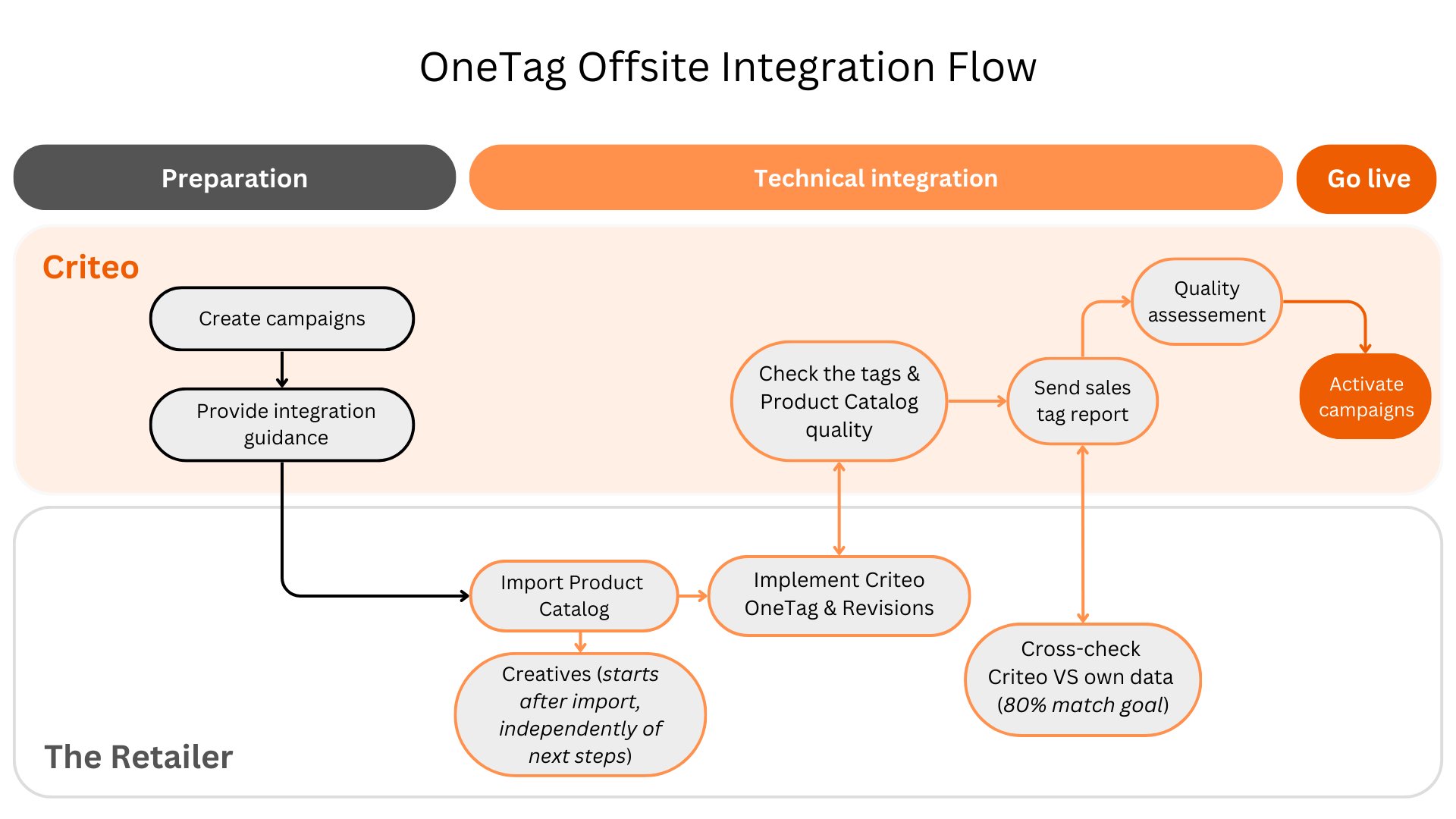
Common Parameters
There are some common parameters which are shared between all the tags:Event | Key | Example value | Description |
|---|---|---|---|
| account |
| Your Criteo Account or Partner ID, provided by your technical contact, to route data to Criteo servers. |
| id |
| A unique, unauthenticated user ID valid for at least 30 days. Used to track visitor behavior across sessions. Typically retrieved via a first-party cookie. |
| id |
| A consistent, internal ID for logged-in users, linked to accounts, purchase history, or membership programs. |
|
| User’s email address in SHA256 hash format. Please pass an empty string if the user’s email is unavailable. |
Tags
Dynamic Loader
To load the Criteo JavaScript library and ensure the loader is included across all pages, make sure to insert the following script in thehead of your site. Also don’t forget to replace the placeholder with your unique Criteo Partner ID:
Homepage Tag
Trigger this tag on the homepage (http://www.retailer.com). Substitute all placeholders with actual values.Listing Tag
Trigger this tag on all category pages (e.g., https://www.retailer.com/shopping/men) or search result pages. Substitute all placeholders with actual values.Product Tag
Use this tag on product pages (e.g., https://www.retailer.com/shopping/product-jacket-123456). Substitute all placeholders with actual values. For availability, insert boolean value0 for out of stock, 1 for in stock.